App Store Rejection Reasons: 14 Guidelines and How to Fix Them
Apple rejected over 1.2 million new apps and nearly 800,000 app updates in 2025, out of more than 9.1 million submissions its App Review team evaluated. Privacy was the largest single category at over 443,000 rejections, followed by spam and copycat apps at over 371,000. Almost none of that is a verdict on a product idea. Rejections are mechanical problems with the build, the listing, or a platform requirement that moved since your last release, and every one of them arrives labelled with the guideline number that caused it. Below are the fourteen guidelines a legitimate business actually hits, ranked against Apple’s own figures, and what to do with a rejection already sitting in App Store Connect.
How often does Apple actually reject an app?
A little over one submission in five gets rejected, and the rate has been roughly stable for two years. Apple’s own fraud prevention reports give the figures: in 2024 the App Review team evaluated more than 7.7 million submissions and rejected more than 1.9 million, and in 2025 it evaluated more than 9.1 million and rejected over 1.2 million new apps plus nearly 800,000 updates.
That split is the number most articles on this topic leave out. Nearly 800,000 rejections landed on updates to apps that were already live and already approved once. If your app is in the store today and shipping fine, you are still in the population that gets rejected, and the reason usually has nothing to do with the feature you just built.
Which reframes what a rejection is. Read as a quality judgment, it leads teams to argue with reviewers and rewrite features nobody asked them to change. Read as a compliance check that failed on one named point, it leads to a fix that takes an afternoon, and the note always cites the guideline number telling you which point that was.
Which App Store rejection reasons are the most common?
Privacy leads by a wide margin, and Apple publishes enough of a breakdown to rank the rest. In 2025 the company rejected over 443,000 submissions for privacy violations, over 371,000 that copied other apps, were found to be spam, or otherwise misled users, nearly 59,000 for bait and switch behaviour, and over 22,000 for containing hidden or undocumented features.
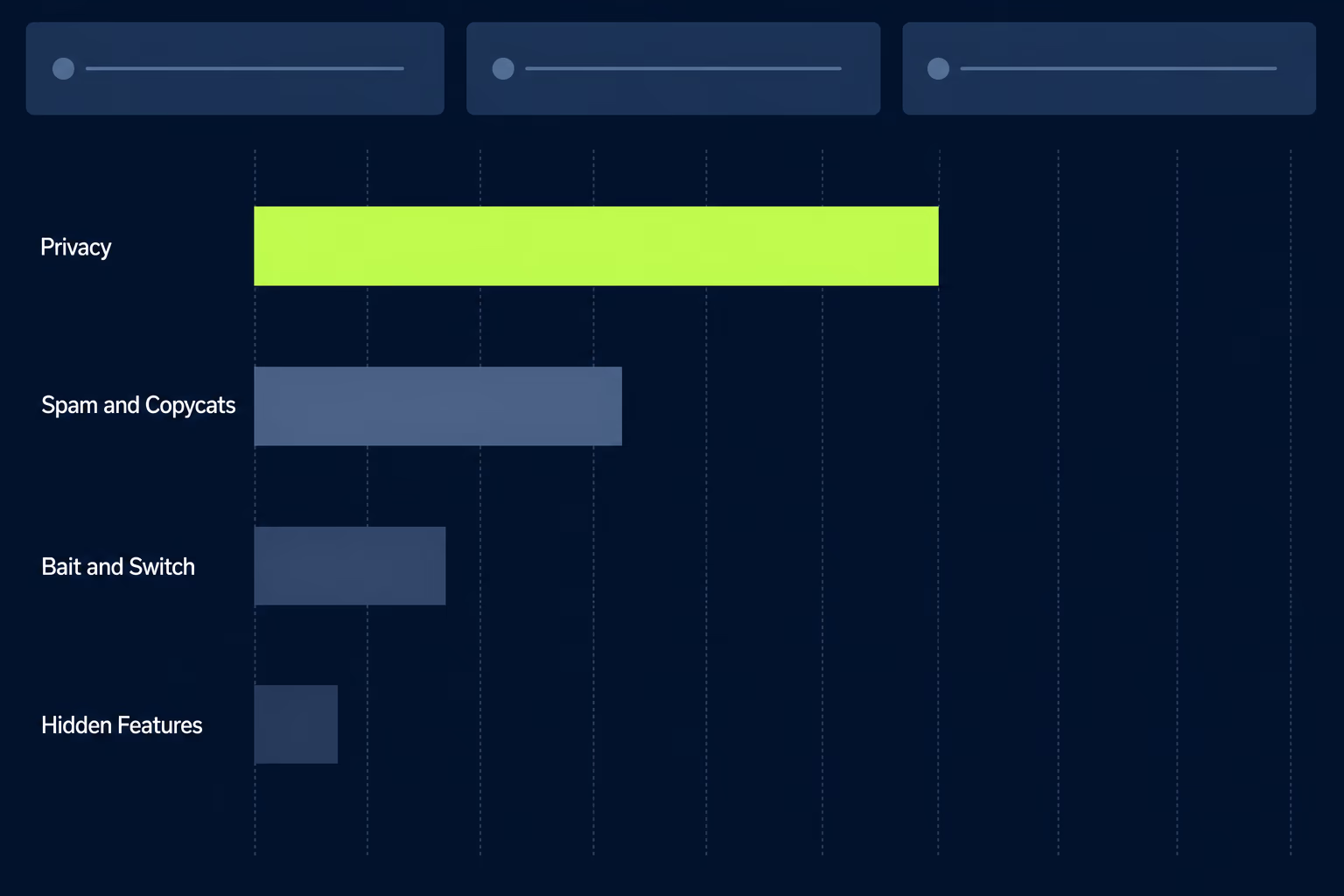
Against 2024 the shape holds steady while the volume grows. Privacy went from 400,000 to over 443,000 and spam or copycat from 320,000 to over 371,000, while hidden features moved the other way, from 43,000 down to over 22,000, which reads more like developers learning that undisclosed functionality gets caught than like Apple relaxing anything.
Those published categories don’t cover everything, and the gap matters when you’re predicting where your own submission will trip. Apple’s numbers describe the violations it treats as trust and safety problems. They leave out the far more ordinary rejections that happen because a build crashed on launch, a screenshot showed a screen that no longer exists, or a reviewer couldn’t get past a login wall. Those are guideline 2.1 and guideline 2.3, and day to day they’re what most teams actually hit.
So the practical ranking differs from the published one. Completeness and metadata are the most likely reason your submission comes back, privacy is the most likely reason it comes back with something serious attached, and spam and copycat mostly affect a class of app a legitimate business isn’t building in the first place.
The 14 rejection reasons, by guideline number
Every rejection note names a guideline, and the number is the most useful thing in it, because it tells you exactly which rule the reviewer applied rather than leaving you to guess from the prose. Here are the fourteen that account for almost everything a legitimate business hits, in guideline order, with what triggers each one.
2.1 App Completeness. A crash on launch, a placeholder screen, a staging backend that’s switched off, or any feature the reviewer can’t reach. The fix is a demo account that works today, entered in the review credentials field.
2.1 Performance, bugs. The reviewer runs your build on current hardware and the current OS. Test the exact archive you upload, on a device rather than the simulator, before you submit it.
2.3 Accurate Metadata. Screenshots showing an interface that no longer exists, a description naming a feature you removed, keywords stuffed with competitor names, an age rating that doesn’t match the content. Re-shoot screenshots at the current sizes whenever the design moves.
2.3.1 Hidden or undocumented features. Anything the binary does that the listing doesn’t declare, including behaviour switched on remotely after review. Apple rejected over 22,000 submissions for this in 2025.
2.5.1 Private API use. A call into a non-public framework, which in practice usually arrives inside a third party SDK rather than in code anybody on your team wrote.
3.1.1 In-App Purchase. Digital goods sold through anything other than Apple’s in-app purchase system. This rule has moved repeatedly and now differs by region, so check the current version for the markets you sell in before you build the flow rather than after.
3.1.2 Subscriptions. A paywall that doesn’t state the price, the period and the renewal terms before purchase, or a subscription app with no way to restore an existing purchase.
4.0 Design. An interface that doesn’t meet Apple’s baseline for a native app: web view chrome left visible, controls too small to hit, layouts that break at a supported screen size.
4.2 Minimum Functionality. An app that mostly repackages a website. What clears it is something the app does natively that a browser tab wouldn’t, such as offline access, notifications, or a real device capability.
4.3 Spam. A near duplicate of an app you already ship, or a template build with the branding changed. Spam and copycat rejections were over 371,000 in 2025, second only to privacy.
5.1.1 Data Collection and Storage. No reachable privacy policy, a permission prompt that doesn’t explain itself in context, or App Privacy answers that don’t match what the code collects.
5.1.1 Privacy manifests. Missing approved reasons for required reason APIs, or an unsigned binary dependency. This one fails at upload rather than at review, and it is covered in full in our guide to the iOS privacy manifest.
5.1.2 Data Use and Sharing. Tracking across apps without an App Tracking Transparency prompt, or sharing data with a partner you never declared.
5.2 Intellectual Property. Brand names, artwork or content you don’t hold rights to, including another service’s logo used as though it were yours.
Three more blockers sit outside the guidelines entirely, because they are platform requirements with dates rather than judgments about your app. Those get their own section below, and they are the ones that catch apps that were approved perfectly well last year.
Why does app completeness cause so many rejections?
Because 2.1 covers a narrow idea with a very wide reach: the reviewer has to be able to fully use your app, and anything that stops them counts as incomplete.
The single most common version is a missing or expired demo account. If any part of your app sits behind authentication, App Store Connect has a field for review credentials, and leaving it blank or filling it with a login that has since been deactivated is a guaranteed round trip. The same applies to anything the reviewer can’t reach without help, such as a feature that only activates for a paid organisation or a screen that only appears after a scheduled job runs. The notes field is where you explain how to reach those, and using it well is one of the highest return five minutes in the whole submission process.
Guideline 2.3 catches maintained apps in a particular way. Screenshots go stale quietly across a year of small design changes, and nobody notices until a reviewer compares them to the current build. When we take over an existing app at RapidLabs, mismatched screenshots are one of the first things we look for, because it is cheap to fix and it holds up releases that had nothing else wrong with them.
What privacy problems get an app rejected?
Privacy rejections come from a mismatch between what your app does and what you’ve declared, and there are now four separate places that declaration lives. Three are the 5.1.1 requirements above: a reachable privacy policy, permission requests that explain themselves in context, and App Privacy answers that match reality. The fourth is newer and catches more teams than the other three combined.
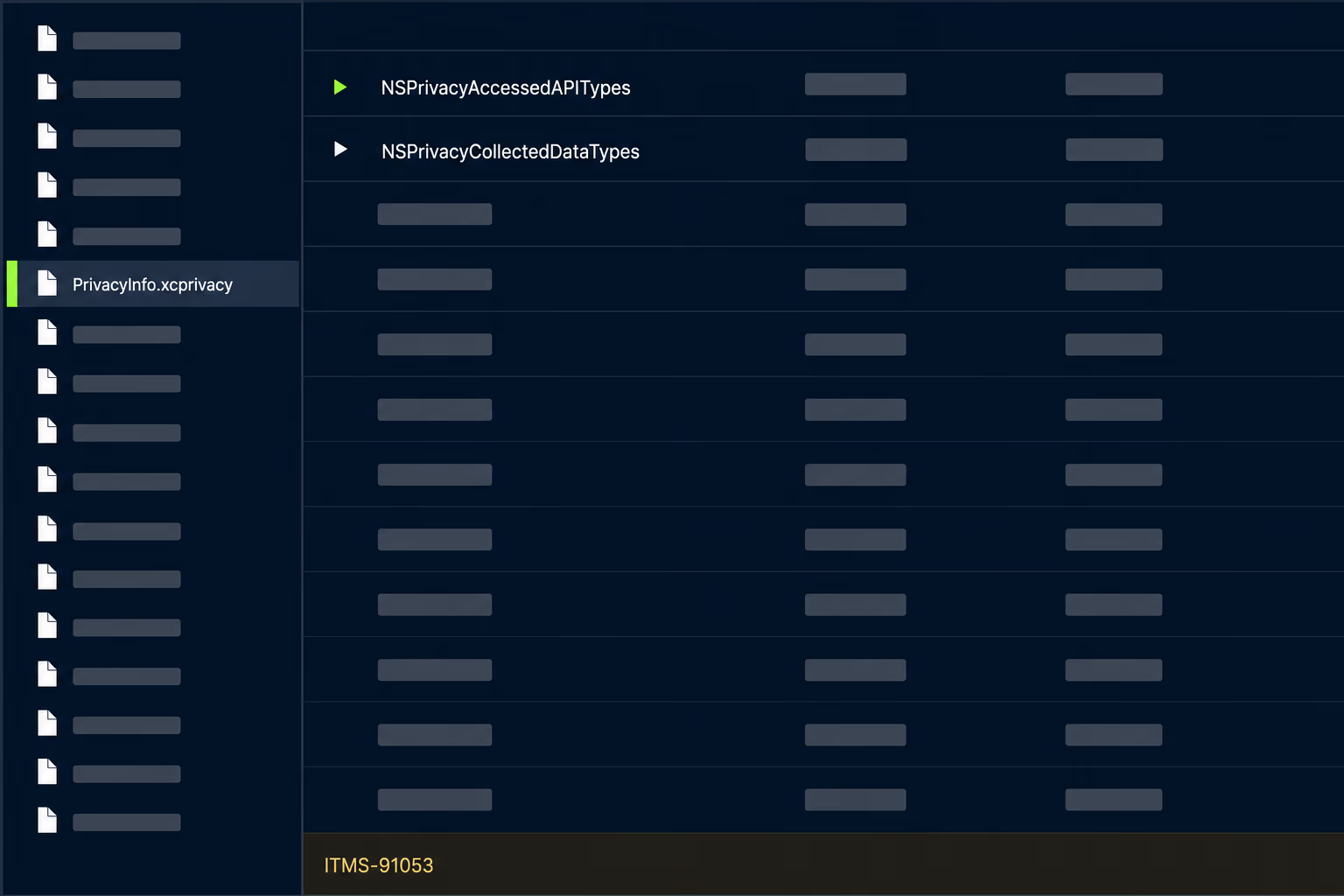
Since May 1, 2024, uploads to App Store Connect have needed approved reasons declared for what Apple calls required reason APIs, and those declarations live in a privacy manifest file inside your project. Apple began emailing warnings about missing reasons on March 13, 2024 and made the declaration mandatory for uploads that May. Third party components carry their own obligation here: when you add an SDK from Apple’s list of commonly used ones, the manifest and signature requirements apply to that SDK, and binary dependencies need signatures too.
What makes this a maintenance problem rather than a one time task is that the obligation moves whenever your dependencies move. An app that declared everything correctly in 2024 can fail after a routine bump of an analytics or crash reporting library, because the new version of that library touches an API the old one didn’t. The failure arrives as an upload error before a human ever sees the build, which is at least fast feedback, but it’s also the kind of error that blocks a release on a Friday afternoon when the person who understands the dependency tree left the company two years ago.
The fix is unglamorous and works. Read the exact API and SDK named in the error, check whether your app genuinely needs that call, and either declare an approved reason or replace the call. Guessing at a reason to clear the error is the wrong move, since the declaration is a statement about what your app does and Apple checks it against behaviour.
Why does an update to a working app suddenly get rejected?
Because the requirements moved and your app didn’t, which is the whole story behind those nearly 800,000 update rejections. Apple maintains a page of upcoming requirements with dates attached, and each of those dates is a day when submissions that were fine yesterday stop being accepted. Three of them are already in force and catch older codebases hard.
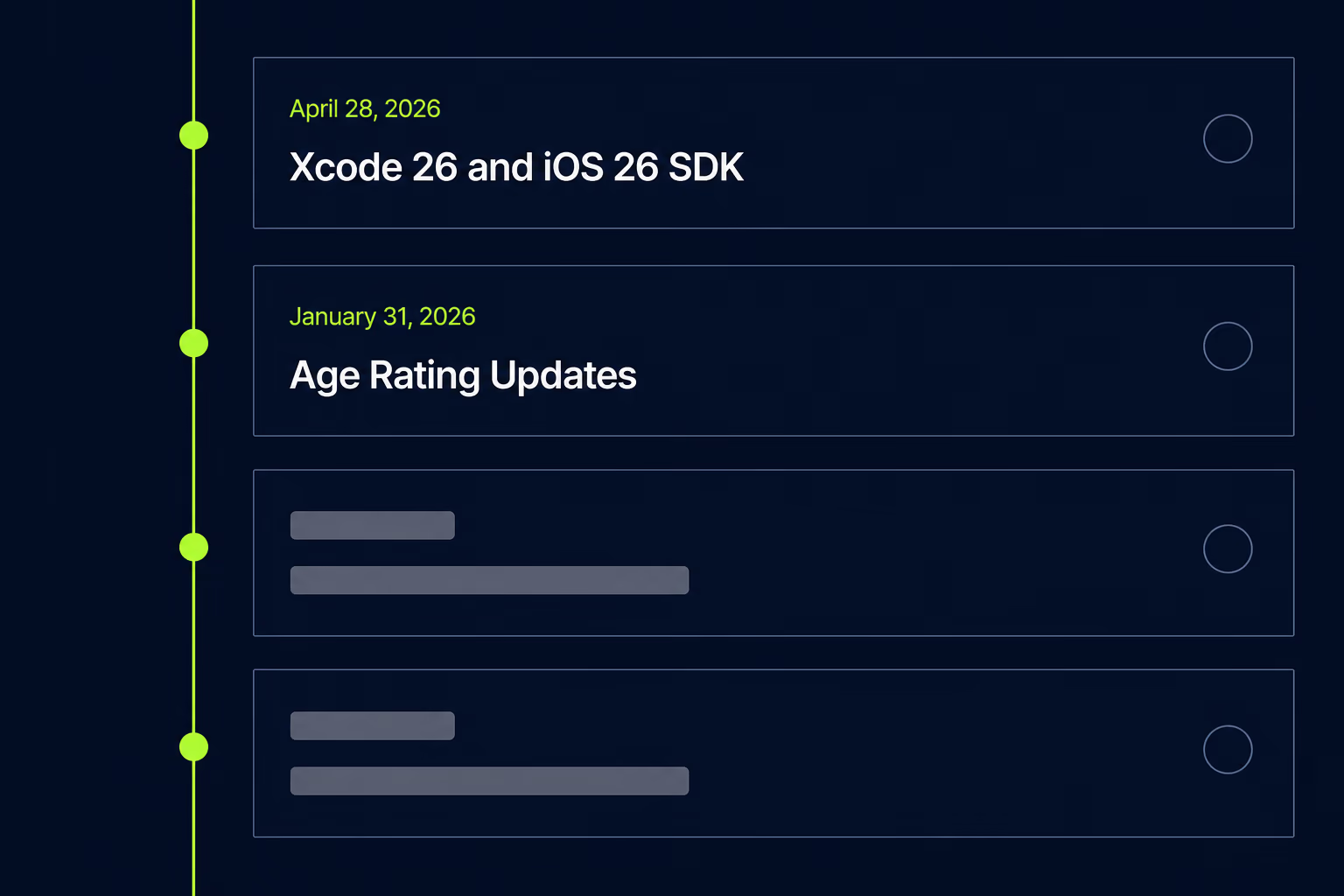
Since April 28, 2026, apps uploaded to App Store Connect must be built with Xcode 26 or later, using an SDK for iOS 26, iPadOS 26, tvOS 26, visionOS 26, or watchOS 26. This has teeth beyond a version bump: upgrading Xcode on a project nobody has touched in a while surfaces a chain of dependencies that also need upgrading, each capable of bringing behaviour changes. An app last built in 2025 can’t ship any update until that chain is resolved, which turns a one line bug fix into real work.
Since January 31, 2026, apps have had to answer Apple’s updated age rating questions, and an unanswered questionnaire holds the submission regardless of what’s in the build. A regional one surprises teams selling into Europe: trader status under the Digital Services Act has been required for EU apps since February 17, 2025 and for updates since October 16, 2024. Missing trader information doesn’t reject your build on technical grounds, it stops your app being distributable in a market you were counting on.
The pattern across all three is the same, and it’s the reason we treat store compliance as part of ongoing mobile app maintenance rather than a release day task. Requirements arrive with months of notice on a page anyone can read, and they only become emergencies for teams that aren’t reading it. Checking Apple’s upcoming requirements page once a quarter costs almost nothing and removes an entire class of blocked release. If you’ve inherited an app and have no idea which of these it’s currently failing, an app maintenance audit answers that question before you commit to a release date.
Should you fix and resubmit, or appeal the rejection?
Fix and resubmit for almost everything, and appeal only when a guideline was applied to something your app doesn’t do. Apple gives three paths after a rejection and picking the wrong one costs days: reply to App Review in the Resolution Center, appeal to the App Review Board, or suggest a change to the guidelines themselves.
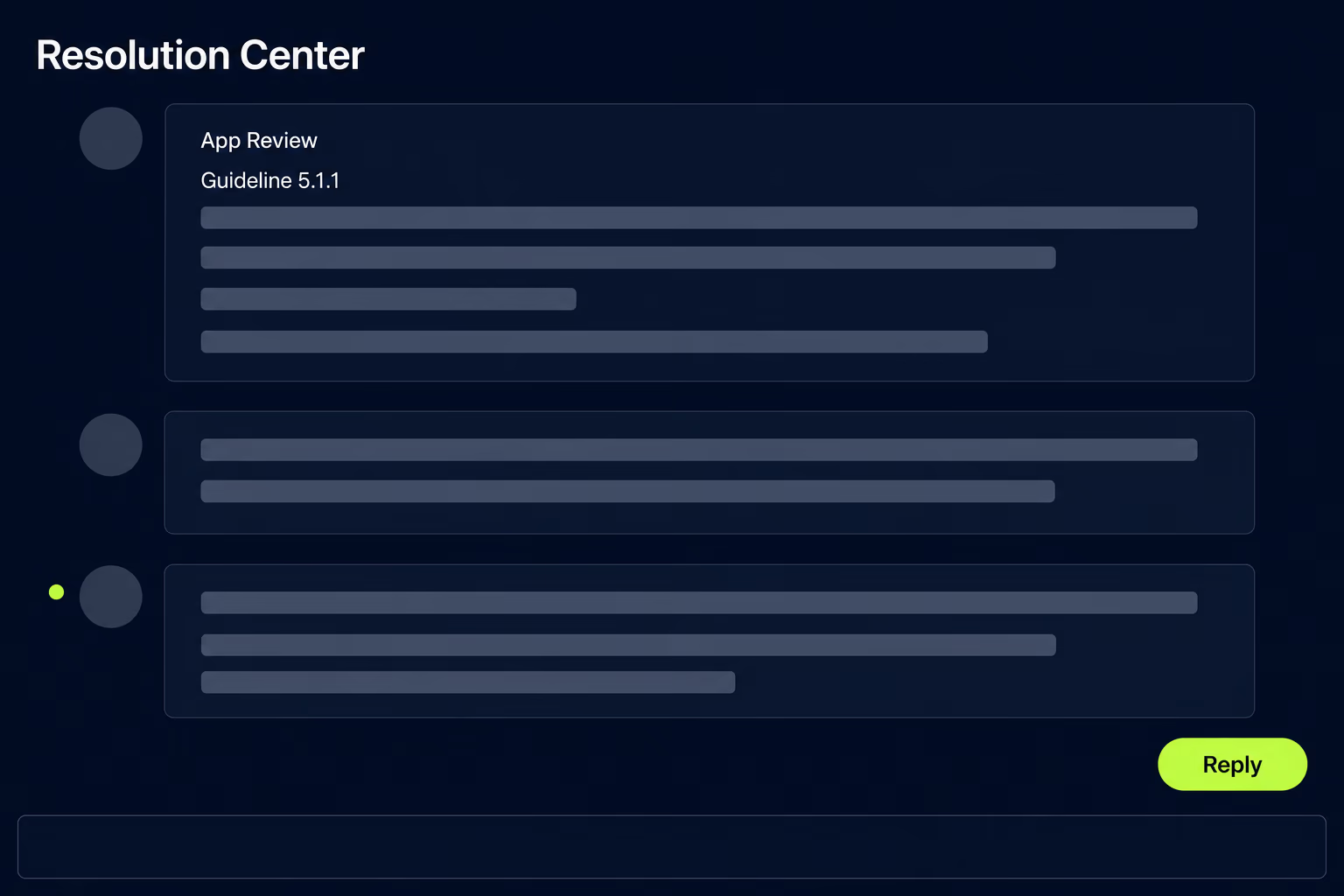
The Resolution Center is the right default and more useful than most teams realise. Replying there doesn’t require you to resubmit anything, and your rejected build stays where it is while the conversation happens, so you can send a screen recording of the flow the reviewer couldn’t find, supply working demo credentials, or explain why a permission is necessary, all without burning a submission. A surprising share of rejections turn out to be a misunderstanding about how to reach a feature, and those resolve in a message rather than a code change.
An appeal to the App Review Board is a different instrument for a narrower problem. Use it when the reviewer’s factual reading is wrong, such as a 4.3 rejection on an app that isn’t a template, or a 4.2 rejection on an app that does substantially more than the reviewer found. Apple publishes no turnaround for appeals, which alone makes it the slower path when a fix is available. Don’t appeal because you dislike a rule that was correctly applied.
One thing not to do is submit a fresh build hoping it moves faster than the conversation you’re already in. It doesn’t jump the queue, it gives you two threads to track, and it can read as evasion while the original point is unaddressed. The queue mechanics are in our piece on App Store review time, and the narrow case where you can legitimately jump it is in expedited review.
How do Google Play rejections differ from Apple’s?
Google rejects less on craft and more on policy declarations and account standing. Play’s common blockers are declaration mismatches rather than reviewer judgments: a Data safety section that doesn’t match what your app transmits, a sensitive permission like SMS or call log access without an approved use case, or a target API level below the current minimum. All are form and manifest problems, checkable before you upload.
The requirement that catches new Android publishers has nothing to do with your code. Personal developer accounts created after November 13, 2023 must run a closed test with at least 12 testers opted in continuously for the last 14 days before they can apply for production access; organisation accounts and older personal accounts are exempt. Teams hit this after the app is finished and lose a launch window to a rule they could have started satisfying a month earlier.
The other difference is durability. An Apple rejection is usually about one submission, while a Play policy strike attaches to the account and shapes how everything you ship afterwards is treated. That asymmetry is worth planning around when you launch on both platforms at once.
Where to spend your effort before the next submission
The highest return work happens before you press submit and it’s mostly clerical. Confirm the demo account works today rather than assuming it does, read your screenshots against the current build, check your App Privacy answers against what the app actually collects, and open Apple’s upcoming requirements page to see whether a date passed since your last release. That sequence catches most of what sends a submission back, and none of it requires touching code.
When a rejection does arrive, read the whole note before changing anything, fix every point it raises in a single build, and use the Resolution Center to ask rather than guessing at what the reviewer meant. The teams that lose weeks to review aren’t the ones with bad apps, they’re the ones doing partial fixes across three rounds because they never asked a clarifying question.
For an app you inherited or haven’t shipped in a year, the honest answer is that nobody can predict which of the fourteen it fails until someone checks. That’s when a rejection becomes a multi week surprise rather than an afternoon, and it’s the specific problem app takeover work at RapidLabs exists to solve. The cost of finding out early is small, and a great deal smaller than finding out on the day you planned to launch.
Frequently asked questions
What is the most common App Store rejection reason?
Privacy is the single largest category in Apple's own reporting. Apple rejected over 443,000 submissions for privacy violations in 2025, ahead of the 371,000 it rejected for copying other apps, being spam, or otherwise misleading users. In practice that covers a missing or unreachable privacy policy, a permission request with no explanation of why the app needs it, App Privacy answers that don't match what the code collects, and a missing privacy manifest for a third party component. All of those are fixable before you submit.
How long does it take to get an app approved after a rejection?
A resubmitted build goes back into the same queue as any other submission, so it takes as long as a normal review takes for your account and category. Apple doesn't publish a separate timeline for resubmissions and doesn't commit to one, so treat any specific day count you see quoted as someone's observation rather than a rule. What you control is how many rounds you need. Fixing every point in the reviewer's note in one build is consistently faster than shipping a partial fix and starting another round.
Can an app be rejected for being too simple?
Yes, and guideline 4.2 Minimum Functionality is the one that covers it. Apple applies it to apps that mostly repackage a website, apps whose only content is a settings screen and a link, and apps that don't offer enough of their own value to justify a place on the store. A rejection here isn't asking for more features for their own sake. It's asking for something the app does natively that a browser tab wouldn't do, such as offline access, notifications, or a real device capability.
Do App Store rejection reasons affect future submissions?
Your account history does carry weight, though Apple doesn't publish how it's weighted. An account with a clean run of approvals tends to move through review faster than one with recent rejections, and that effect can persist across several submissions. A single rejection you fix and resubmit is routine. A repeated pattern of the same violation, particularly anything Apple reads as bait and switch, is what causes real trouble, since Apple rejected nearly 59,000 apps for that specific behaviour in 2025.
Why does an app update get rejected when the app is already live?
Almost always because a store requirement changed since the last release rather than because your code got worse. Uploads have had to be built with Xcode 26 and an iOS 26 generation SDK since April 28, 2026, updated age rating questions have had to be answered since January 31, 2026, and approved reasons for required reason APIs have been mandatory since May 1, 2024. An app that shipped cleanly a year ago can hit all three at once on its next release. Checking Apple's upcoming requirements page before you plan a release is the cheapest way to avoid it.
Should you appeal an App Store rejection or just fix it?
Reply in the Resolution Center for anything you can fix or explain, and reserve the App Review Board for a guideline you genuinely believe was applied to the wrong thing. Replying keeps the existing build in place and lets you send a screen recording, a demo account, or a clarification without starting a new review. An appeal is the right tool when the reviewer's reading of your app is factually wrong, and the wrong tool when you simply disagree with a rule that was correctly applied.
Stuck on a release, a crash, or an app nobody owns?
RapidLabs maintains, stabilizes and takes over existing iOS and Android apps. Send the app link, the stack, and what is going wrong, and you will get a plain answer on whether you need help at all.
Talk to a senior engineer about your app