Google Play Target API Level: 2026 Deadline
From August 31, 2026, Google Play stops accepting new apps and app updates that target anything below Android 16, which is API level 36. Apps already on the store don’t get removed, but any app targeting Android 14 or lower stops being offered to new users on phones running a newer version of Android than the app targets. The change itself is one number in your build settings, and the real work is everything that number switches on. Below is what the requirement covers, what breaks when you raise the level, and what your options are with under a month left on the clock.
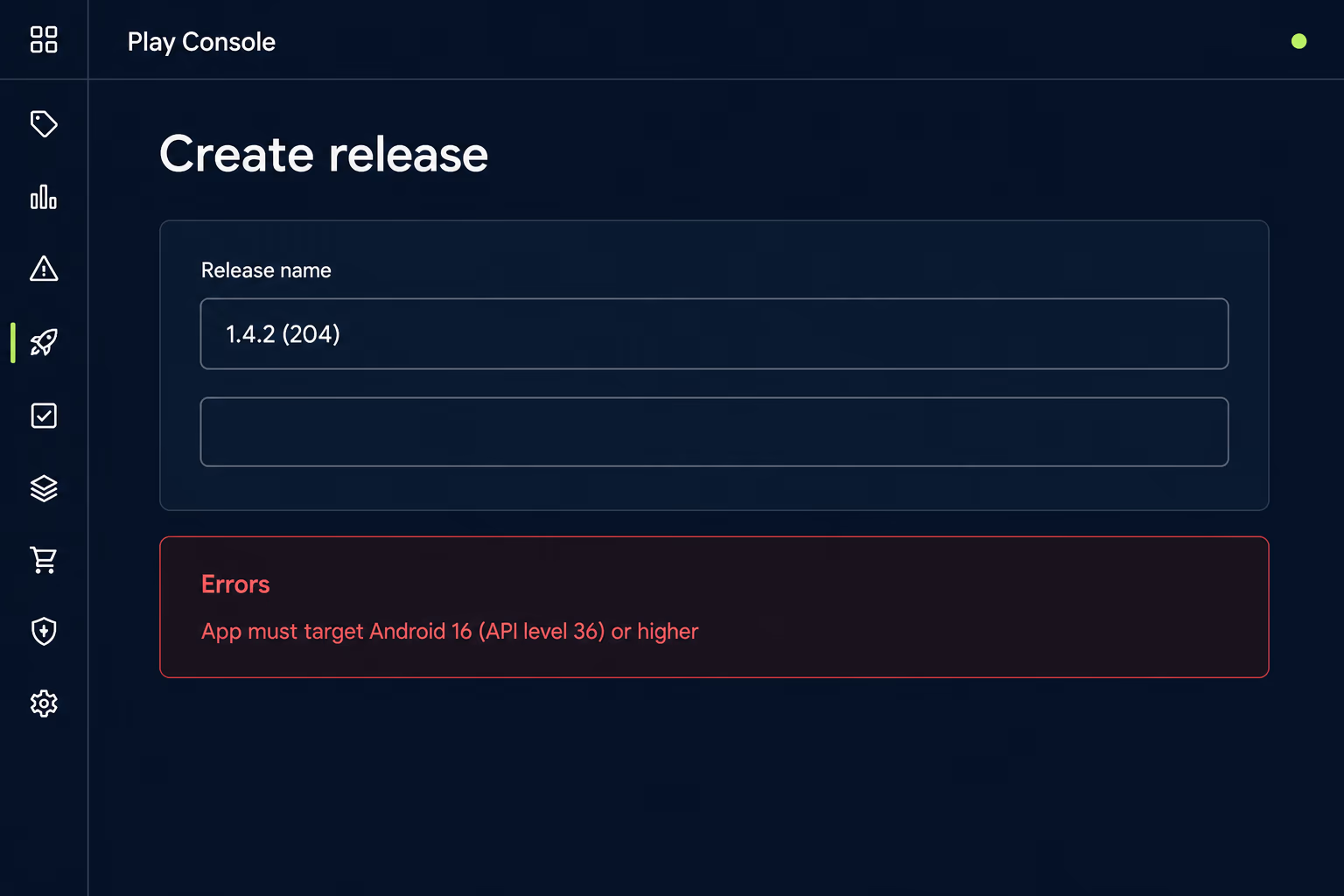
What is Google Play’s target API level requirement in 2026?
Every app submitted or updated from August 31, 2026 has to target Android 16, API level 36, or higher, with lower bars for some device types. A target API level is a number in your build configuration that tells Android which version of the operating system your app was written and tested against, and Android uses it to decide which set of rules to apply while the app runs. An app declaring API level 30 keeps getting Android 11 era behaviour on an Android 16 phone, which is exactly the situation Google is closing off.
The requirement splits by device type, and the split catches teams who assume one number covers everything they ship:
| Device type | Target API level required |
|---|---|
| Phones, tablets, Android Auto | Android 16 (API level 36) |
| Wear OS | Android 15 (API level 35) |
| Android Automotive OS | Android 15 (API level 35) |
| Android TV | Android 14 (API level 34) |
| Android XR | Android 14 (API level 34) |
Behind the dates sits a rule Google states plainly in its policy. Apps have to target an API level within one year of the latest major Android release to be submitted or updated at all, and within two years of it to stay available to new users on newer devices. That’s why the deadline lands on the same day every year and why it keeps moving. August 31, 2025 made API level 35 the bar, and August 31, 2026 raises it to 36.
What happens to your app if you miss August 31?
Two separate penalties apply, and most teams only know about the first one. Play Console stops accepting submissions and updates for a non-compliant app, so a bug fix, a price change or a security patch has nowhere to go. That’s the visible failure, and it usually arrives as a red error on the release page during a launch you’d already promised to someone.
The second penalty is quieter and does more commercial damage over time. An app already on the store has to target at least Android 15, API level 35, to stay available to new users whose devices run a version of Android newer than the app’s target. Below that, the app is only offered to devices running an OS version equal to or lower than what it targets, which shrinks its audience a little more with every phone that updates. For Wear OS, Android TV and Android XR the cutoff is API level 33 or lower, and for Android Automotive OS it’s API level 31 or lower.
Nobody gets an alert when this one starts, because existing users keep the app installed and keep using it normally. There’s no outage, no support ticket and no crash report. What you see instead is new installs sliding month after month while the store listing looks healthy, and by the time somebody investigates, the app has been invisible to half the market for a year.
Why does a single version number block a working app?
Because the target API level isn’t documentation, it’s an instruction that changes how Android treats your app at runtime. Android keeps compatibility behaviour for older targets so that upgrading a phone doesn’t break the apps already on it, which is genuinely useful for users and quietly terrible as a long term policy. An app can sit at an old target forever and never have to honour any of the privacy, permission or background execution rules introduced since.
Google’s stated reason is that apps below the bar don’t meet current safety and quality standards, and in practice that’s accurate rather than corporate. The rules arriving with each Android version are mostly about what an app can read, what it can do while you’re not looking, and how clearly it has to ask. An app pinned to API level 29 is running 2019’s answers to those questions on hardware sold in 2026.
The number itself takes seconds to change, which is what makes the bill confusing for anyone paying it. Everything that follows the edit is the cost of the behaviours that one line switched on, and that cost has nothing to do with Google Play and everything to do with how your app was built.
What actually breaks when you move an app to API level 36?
Four changes account for most of the work on a typical app, and the first one is visible on every screen. Apps targeting API level 36 can no longer opt out of edge to edge display, because the windowOptOutEdgeToEdgeEnforcement attribute is deprecated and disabled on Android 16 devices. Your layouts draw behind the status bar at the top and the gesture bar at the bottom, so any screen that assumed a safe rectangle needs its insets handled properly. On a content heavy app this is usually the single largest slice of the migration.
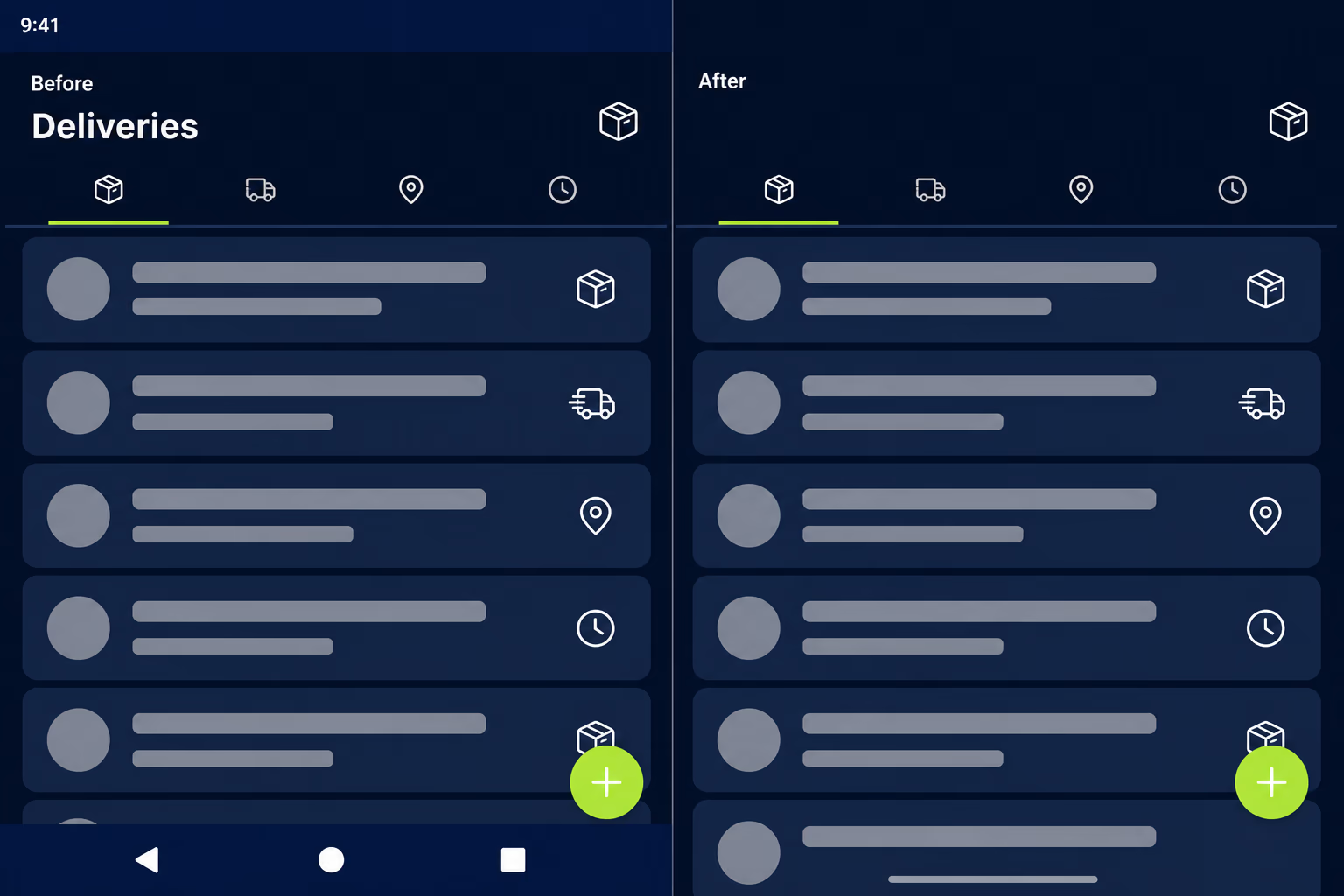
Back navigation changes next, and it fails quietly rather than loudly. Predictive back animations are on by default at API level 36, onBackPressed() is no longer called and back key events aren’t dispatched to your activity, so anything relying on the old callback stops firing. You either migrate to the supported back navigation APIs or set android:enableOnBackInvokedCallback="false" in the manifest to buy time. Apps that intercept back to show a confirmation dialog or to manage a custom flow are the ones that notice immediately.
Large screens get stricter too, and the rule is unusually blunt about it. On any display with a smallest width of 600dp or more, Android 16 ignores screenOrientation, resizableActivity, minAspectRatio and maxAspectRatio, so a phone app locked to portrait will be resized and rotated on tablets and foldables whether it was designed for that or not. There’s a temporary escape hatch in the PROPERTY_COMPAT_ALLOW_RESTRICTED_RESIZABILITY manifest property, and treating it as anything other than temporary is how you end up doing this migration twice.
Health and fitness apps carry extra work, since the BODY_SENSORS permission family is replaced by granular health permissions such as READ_HEART_RATE, and apps using them have to declare an activity that displays a privacy policy. Two smaller changes round it out. MediaStore#getVersion() now returns a value unique to each app so it can’t be used for fingerprinting, and scheduleAtFixedRate() runs at most one missed execution instead of firing every execution it missed.
How long does a target API level update take?
The honest answer is that it depends on how far behind the app is, and nobody can quote you a real number without opening the project first. An app that shipped this year and already targets API level 35 is usually a small configuration change, an inset pass over the layouts, and a full test cycle across the devices you support, which is the release our mobile app testing checklist treats as a full pass rather than a half day. That’s a genuinely short piece of work for a team that knows the codebase.
An app that hasn’t been touched in three or four years is a different job, and the API changes are rarely what blocks it. What blocks it is the build itself. The Gradle version won’t run on a current JDK, the Android Gradle Plugin predates the Android Studio release your machine has, several libraries have no version that compiles against API 36, and one of them was abandoned by its author in 2022 with nothing offering the same interface. Getting the project to compile can take longer than every behaviour change combined.
Google’s own recommendation is to begin migration at least three months before the deadline, which reads more as a statement about the size of the work than as scheduling advice. With the date under a month away, an app that already builds cleanly is still comfortably fixable. An app that doesn’t build at all needs someone on it now, with the extension route described below as a backstop rather than a plan. RapidLabs treats this as ordinary mobile app maintenance, because it arrives on a schedule anyone can read a year ahead.
Why does Play reject a build that already targets 36?
Because the file you uploaded declares a different target from the one in your source code, and Play only reads the file. This is a common and genuinely confusing failure, and the fastest way through it is to stop arguing with the error and go look at what Google actually received. App Bundle Explorer in Play Console shows the target SDK version recorded for each uploaded artifact, so you can compare it directly against the value you think you set.
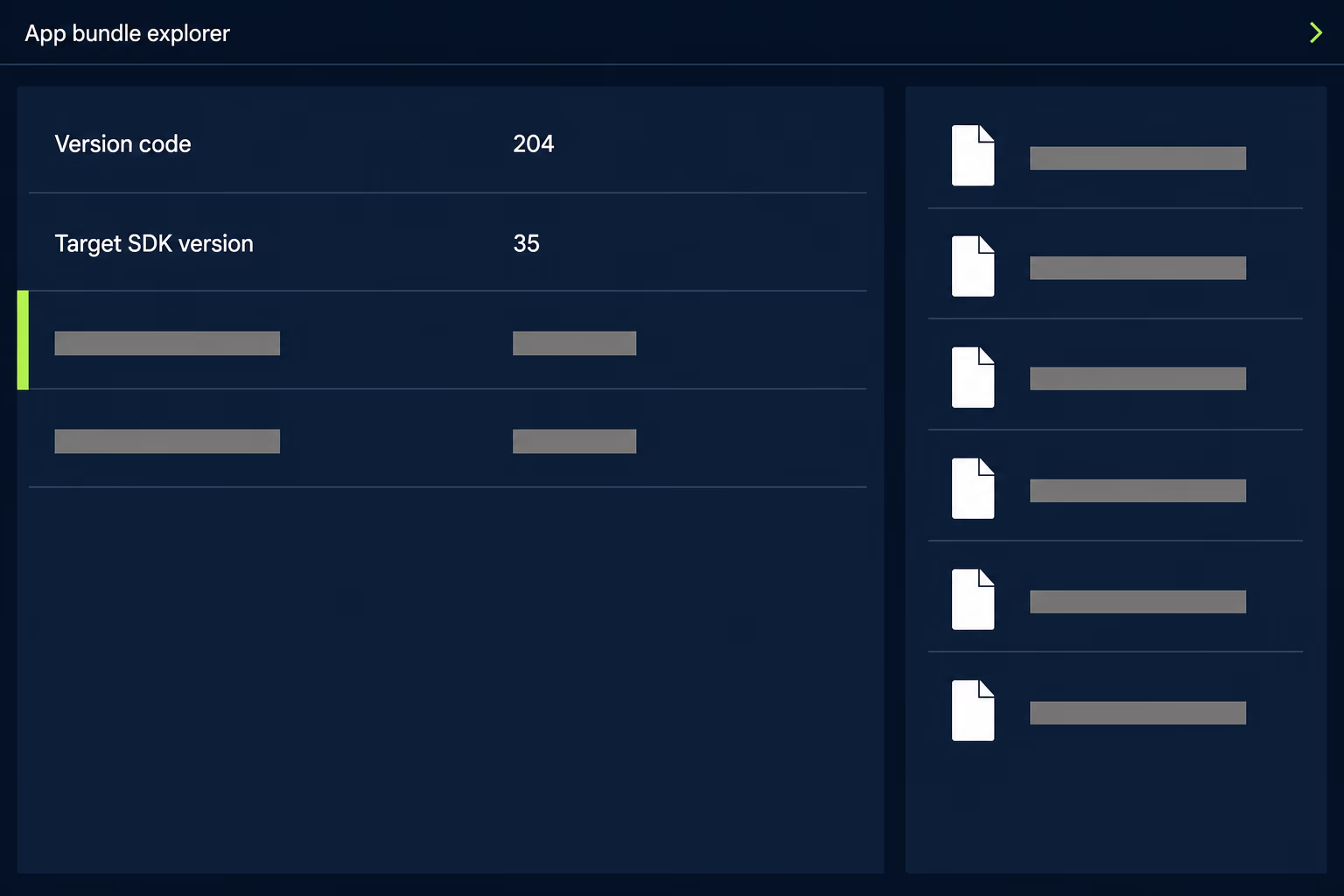
Four causes cover nearly all of these. A build flavour or variant can override the value you edited, so the release build ships something different from the one you tested. A cross platform wrapper such as Expo, Flutter, Cordova, Capacitor, Unity or FlutterFlow keeps its own Android configuration, and editing the generated Gradle file gets your change overwritten on the next build. A cached build directory can hand you a stale artifact. Or the wrong file got picked out of a downloads folder holding six similarly named bundles.
The pattern behind all four repeats well beyond this requirement. The number that matters is the one baked into the artifact, not the one in the file you opened. Any time a store error contradicts your source code, read the artifact first, and you’ll usually have the answer in ten minutes instead of an afternoon spent on forum threads describing someone else’s build setup.
Can you get an extension on the target API level deadline?
Yes, for existing apps, and the longest it buys you is until November 1, 2026. Extension forms appear on the Policy status page in Play Console for apps flagged as non-compliant, so the route only opens once Google has identified your app as affected. There’s also a standing exemption for permanently private apps that are distributed only inside a specific organization and never offered publicly, which covers internal tools and nothing else.
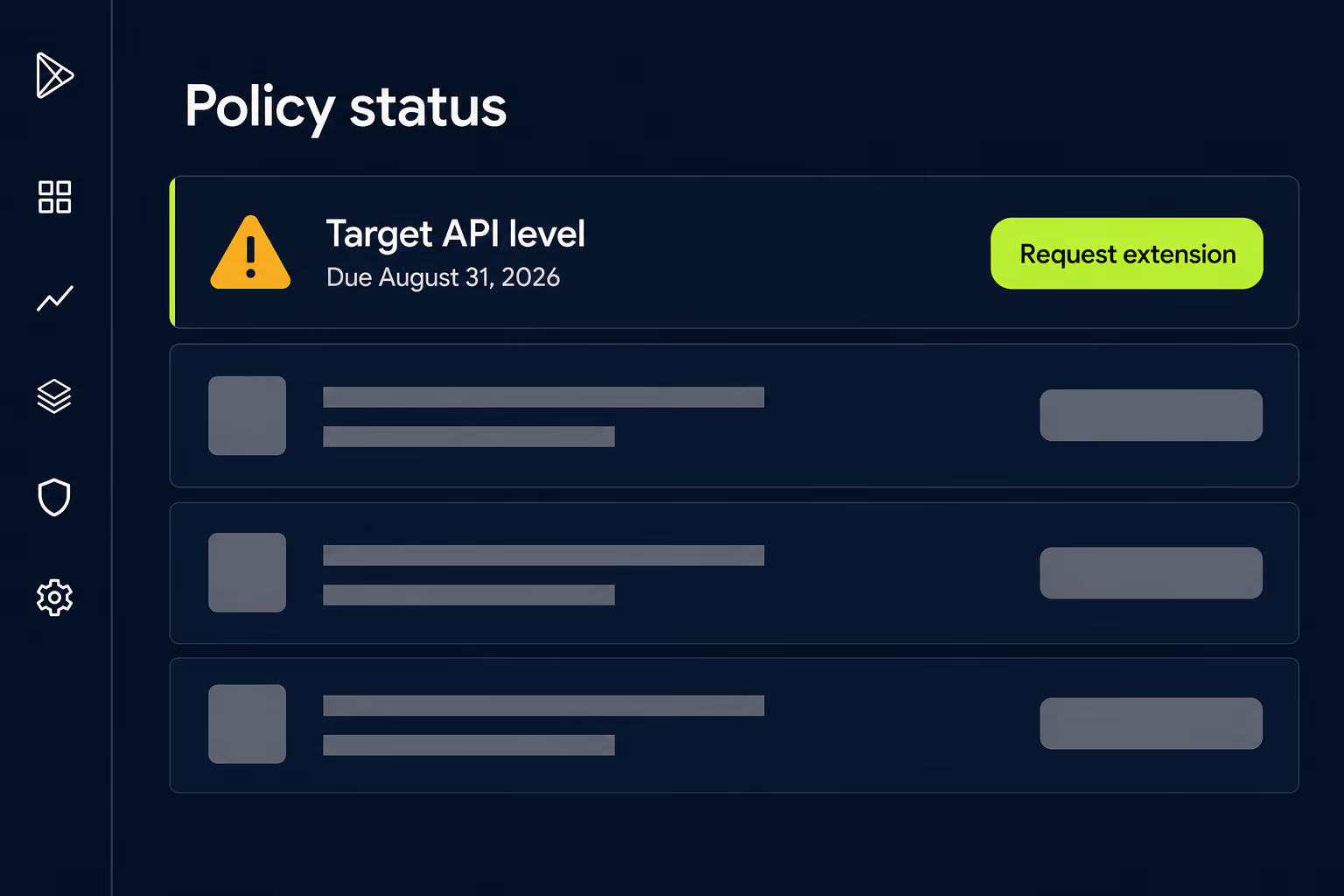
Treat an extension as a scheduling tool rather than a reprieve. Two months is enough to finish a migration already under way, or to get a release through a proper test cycle instead of rushing it. It isn’t enough to resurrect a project nobody has built since 2022, find the signing key, work out which of four repositories holds the current source, and then do the migration.
The other reason not to lean on it is that the deadline repeats. November 1 solves this year, and next August the bar rises again to whatever follows API level 36. A team that needs an extension every year is describing a maintenance gap rather than a Play Console problem.
What do you do if nobody maintains the app any more?
Find out what the app currently targets and whether it still builds, before you make any decision about what happens next. Plenty of businesses reach this deadline holding an app they depend on and a developer relationship that ended a while ago, and the instinct is to ask for a quote to fix it. Nobody can price that honestly until someone has established what state the project is in, and the checks that establish it are quick.
- Read the target SDK version of your live release in App Bundle Explorer.
- Confirm you have Play Console owner access, not just developer access.
- Confirm you hold the app signing key or that Play App Signing holds it.
- Clone the source repository and try a clean build on a current machine.
That fourth check separates a short job from a long one, and it’s also the one people skip. A repository that builds on the first try means the migration is a normal piece of work. A repository that fails on dependency resolution, or turns out to be missing a module, or builds an app whose version number doesn’t match what’s live on the store, means archaeology comes before any Android work.
Access is the other frequent blocker, and it’s worth checking today rather than on release day. An app you can’t sign is an app you can’t ship, whatever state the code is in. This is the situation app takeover work at RapidLabs exists for, and when what you need first is simply a picture of the thing, an app maintenance audit gets you facts before you commit to a date or a budget.
Putting Apple and Google on the same release calendar
Both stores now run annual compliance deadlines, and an app with an iOS and an Android build carries two of them every year. Apple’s lands in spring, and since April 28, 2026, every upload to App Store Connect has to be built with Xcode 26 and an SDK from the iOS 26, iPadOS 26, tvOS 26, visionOS 26 or watchOS 26 generation. Google’s lands on August 31 and raises the target API level. Both are published far in advance, and both block releases rather than merely warning about them.
The teams who find these dates painless ship often enough that they’re never more than one version behind, so a target level bump stays a small change instead of a rescue project. The ones who find them painful usually built something good, stopped touching it because it worked, and then discovered that a working app still ages relative to the rules around it. Both deadlines are visible a year out, which makes them one of the few parts of running an app you can put in a calendar and forget until the reminder fires.
If you’re reading this in August 2026 with an Android app that hasn’t shipped in a year, the next step is finding out whether the project still builds, because that single fact decides whether you’re looking at a short piece of work or a recovery. If you’d rather have someone else answer it, talk to a senior engineer about your app and we’ll tell you what we find, including the cases where the honest recommendation is that you don’t need us. For the App Store side of the same calendar, our piece on App Store review time covers what happens once a build finally gets submitted.
Frequently asked questions
What target API level does Google Play require in 2026?
From August 31, 2026, new apps and app updates for phones, tablets and Android Auto must target Android 16, which is API level 36, or higher. Wear OS and Android Automotive OS apps must target API level 35, and Android TV and Android XR apps must target API level 34. Separately, an app already on the store has to target at least API level 35 to stay available to new users whose devices run a newer version of Android than the app targets.
What happens if my app misses the Google Play target API level deadline?
Two things happen, and only one of them is obvious. Play Console stops accepting submissions and updates for the app, so you cannot ship a bug fix or a security patch until the target level is raised. Separately, an app targeting Android 14 or lower stops being offered to new users on phones running a newer version of Android than the app targets. People who already installed it keep it and can keep using it, so the damage shows up as a slow decline in new installs rather than as an outage anyone reports.
Can I get an extension on the target API level requirement?
Existing apps can request an extension through the Policy status page in Play Console, where a form appears for apps flagged as non-compliant. Google states that the extension deadline is November 1, 2026, so the longest an approved extension buys you is roughly two months past the August date. That is enough time to finish work already under way and not enough to start a migration on an app nobody has built in two years. Permanently private apps distributed only inside a specific organization are exempt altogether.
Why does Play reject my app when it already targets API 36?
Because the file you uploaded declares something different from what your source code says. Open App Bundle Explorer in Play Console and read the target SDK version Google recorded for the artifact you actually uploaded, then compare it to your build configuration. The usual causes are a build flavour that overrides the value you edited, a cross platform wrapper such as Expo, Flutter, Cordova or Unity keeping its own Android configuration, a stale artifact from a cached build directory, or the wrong file picked from a downloads folder.
How long does it take to update an app to target API level 36?
It depends on how far behind the app already is, so nobody can give you an honest number without looking at the code. An app that shipped this year and already targets API level 35 is often a small change plus a full test pass across your supported devices. An app untouched for three or four years usually hits its build tooling before any API change, because the Gradle version, the Android Gradle Plugin and several libraries all need raising first. Google advises starting at least three months before a deadline.
What is a target API level, in plain terms?
It is a number in your app's build settings that tells Android which version of the operating system the app was written and tested against. Android reads it and applies the matching set of rules, so an app declaring an older number keeps getting older behaviour even on a brand new phone. Leaving it low is how an app avoids newer privacy and security requirements indefinitely, and raising it is how those requirements finally apply to it.
Stuck on a release, a crash, or an app nobody owns?
RapidLabs maintains, stabilizes and takes over existing iOS and Android apps. Send the app link, the stack, and what is going wrong, and you will get a plain answer on whether you need help at all.
Talk to a senior engineer about your app