ITSAppUsesNonExemptEncryption: YES or NO?
ITSAppUsesNonExemptEncryption is the Info.plist key that tells Apple whether your iOS app uses encryption beyond what’s built into Apple’s operating system. Set it to NO when the app, including every third-party library inside it, only encrypts through Apple’s own APIs such as HTTPS and the Keychain, and set it to YES when anything in the build brings its own cryptography. Getting the value in place stops the Missing Compliance warning in TestFlight, but the value is a legal statement, so it has to match what’s actually in your dependency tree.
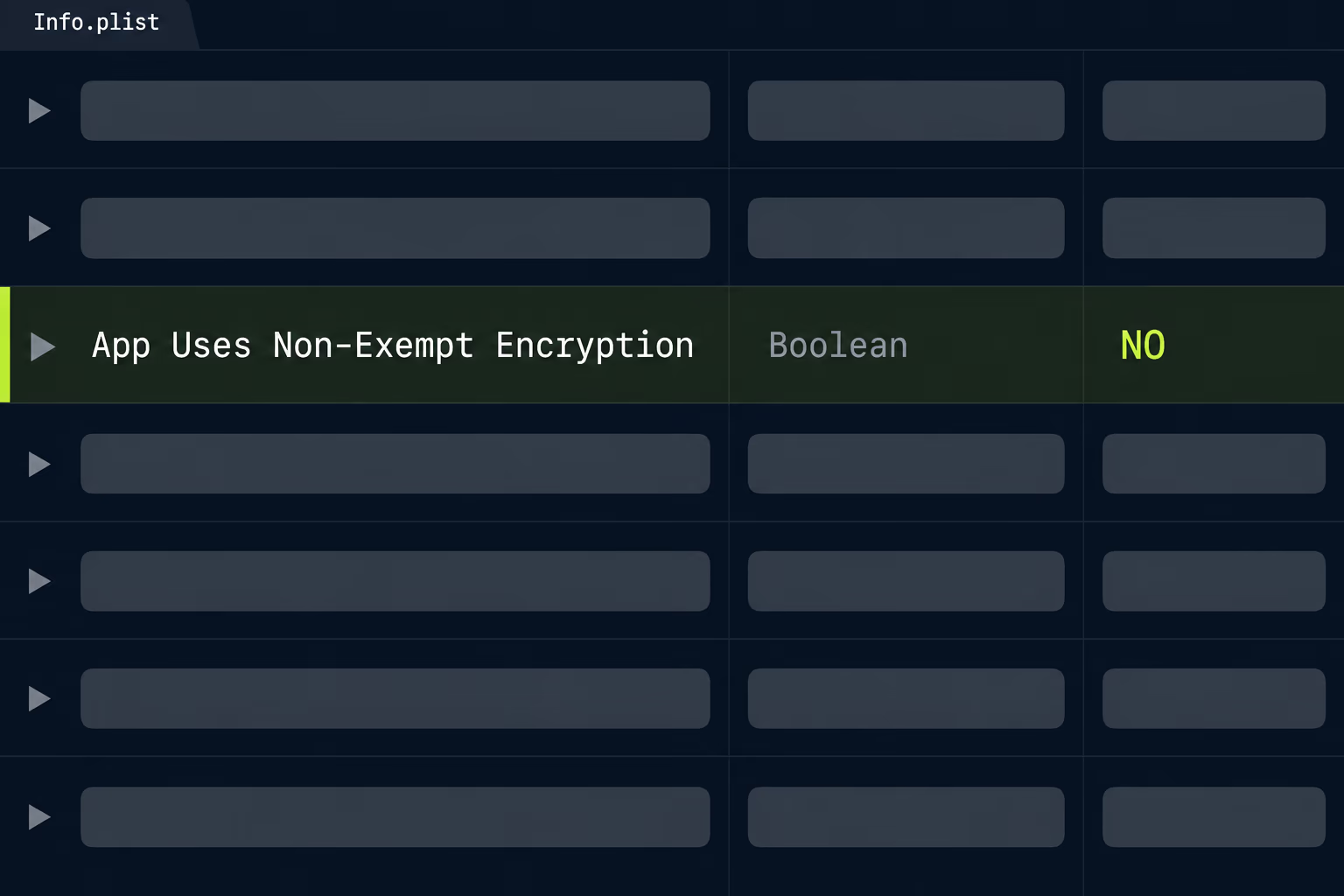
Most pages ranking for this key give you the one-line fix, which is to add it with NO and upload again. That’s fine for an app you wrote yourself, and much less fine for one you inherited, where nobody knows which SDKs are linked or what the last person clicked in the questionnaire. This article covers the fix, the decision behind it, the documentation path for YES, and the year-end report question Apple’s wording leaves open.
What does ITSAppUsesNonExemptEncryption actually ask?
It asks one narrow question, which is whether your app uses non-exempt encryption, and it deliberately doesn’t ask whether your app uses encryption at all. Almost every app encrypts something, because any connection to a server over HTTPS is encrypted. Apple’s documentation for the key says to set it to NO when your app, including any third-party libraries you link against, either uses no encryption or only uses encryption that’s exempt from export compliance requirements, and to set it to YES when the app uses non-exempt encryption.
The reason Apple asks at all is American export law. Apple’s guide on complying with encryption export regulations explains that when you submit to TestFlight or the App Store, you upload your app to a server in the United States. If you then distribute the app outside the United States or Canada, it counts as an export of encryption software and falls under US export rules, and Apple says this applies regardless of where your legal entity is based. So a studio in Berlin or Bangkok answering this question is still making a statement under US regulations.
There’s a second key that travels with the first. If your answer is YES and Apple reviews and approves your documentation, it gives you a code, and you put that string in ITSEncryptionExportComplianceCode. Apple’s documentation is clear that the code comes from Apple after a successful review, so nobody should type in a made-up value or copy one from another app to get past the prompt.
When neither key is present, Apple says App Store Connect walks you through an export compliance questionnaire every time you upload a new version, which is why an old app can start prompting again after a project migration drops the plist entry.
Why does TestFlight show Missing Compliance on every build?
TestFlight shows Missing Compliance because the uploaded build doesn’t carry an answer to the encryption question, so App Store Connect holds it until someone supplies one. Apple’s build status reference describes the state plainly: the build is missing export compliance documentation and action is needed. Two related states appear if you’ve submitted documents, Waiting for Export Compliance Review and then In Compliance Review, and neither of those needs anything from you except patience.
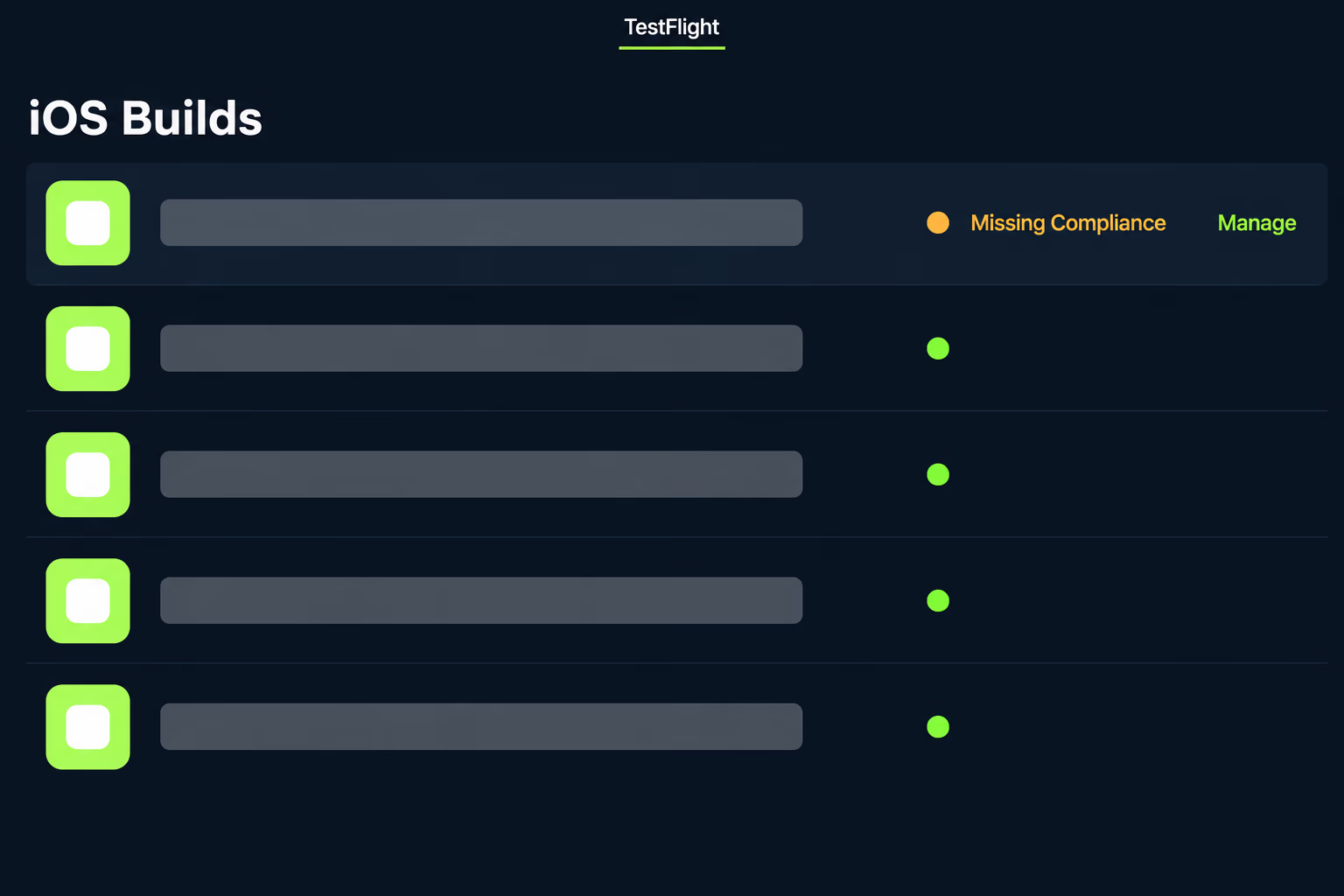
The quick way through is the Manage link next to the affected build on the TestFlight or Distribution tab, which opens the same questions found under App Information. Answering there releases that one build, but the next upload arrives without a key in its plist and stops again.
The permanent fix is putting the key into the Info.plist that actually ships, and that’s where teams lose an afternoon. If the warning keeps appearing after you’ve added the key, the usual causes are a key added to the wrong target (a widget or notification extension rather than the main app), a Release build configuration pointing at a different plist than Debug, a build script that regenerates the plist during archive, or a value typed as the string “NO” instead of a real Boolean. The fastest check is to open the archived app bundle and read the plist inside it, since that’s the file Apple sees. If your uploads are stuck for other reasons as well, our breakdown of App Store review times covers what’s normal once the build clears this step.
When is NO the honest answer for your app?
NO is the honest answer when every bit of encryption in the build is provided by Apple’s operating system. Apple’s guide gives the standard example: using encryption built into the operating system, such as making HTTPS connections through Apple’s networking APIs, is typically exempt from export documentation requirements, whereas proprietary encryption is not. Storing a token in the Keychain, signing in with Apple, and making purchases through StoreKit all run on Apple’s own code, so they don’t change the answer.
App Store Connect’s reference page on export compliance documentation boils the decision down to three rows, and it’s the most useful thing Apple publishes on this topic, because it tells you what paperwork each situation creates.
| What your app uses | What Apple asks you to upload |
|---|---|
| Encryption limited to what’s within Apple’s operating system | Nothing in App Store Connect |
| An industry standard algorithm that isn’t provided within Apple’s operating system | A French encryption declaration, only if you distribute on the App Store in France |
| Proprietary algorithms not accepted by standards bodies such as IEEE, IETF or ITU | A US CCATS classification plus the French declaration if you distribute in France |
The middle row is the one people skip past, and it’s the row an inherited app most often belongs in. A library that ships its own copy of a well-known algorithm isn’t proprietary crypto, so you don’t need a US classification, but it also isn’t encryption provided by Apple’s operating system. Apple’s own table treats that as a separate case, and the only document it asks for is the French declaration, which matters only if France is in your availability list.
Apple’s overview page adds a warning worth reading before anyone commits the value: it’s your responsibility to review the Export Administration Regulations, and you’re responsible for all liabilities from claiming an exemption inaccurately. Nobody at Apple checks your dependency tree, so a guess copied from a forum thread is a poor basis for the answer.
Which SDKs in an inherited app change the answer?
The SDKs that change the answer are the ones that bundle their own cryptography library instead of calling Apple’s, and in an app you inherited you usually can’t tell which those are without reading the dependency tree. The common suspects are libraries that compile in OpenSSL, BoringSSL or libsodium, encrypted local databases such as SQLCipher, end-to-end encrypted chat components, VPN and tunnelling code, and security or anti-tamper SDKs that ship their own crypto routines.
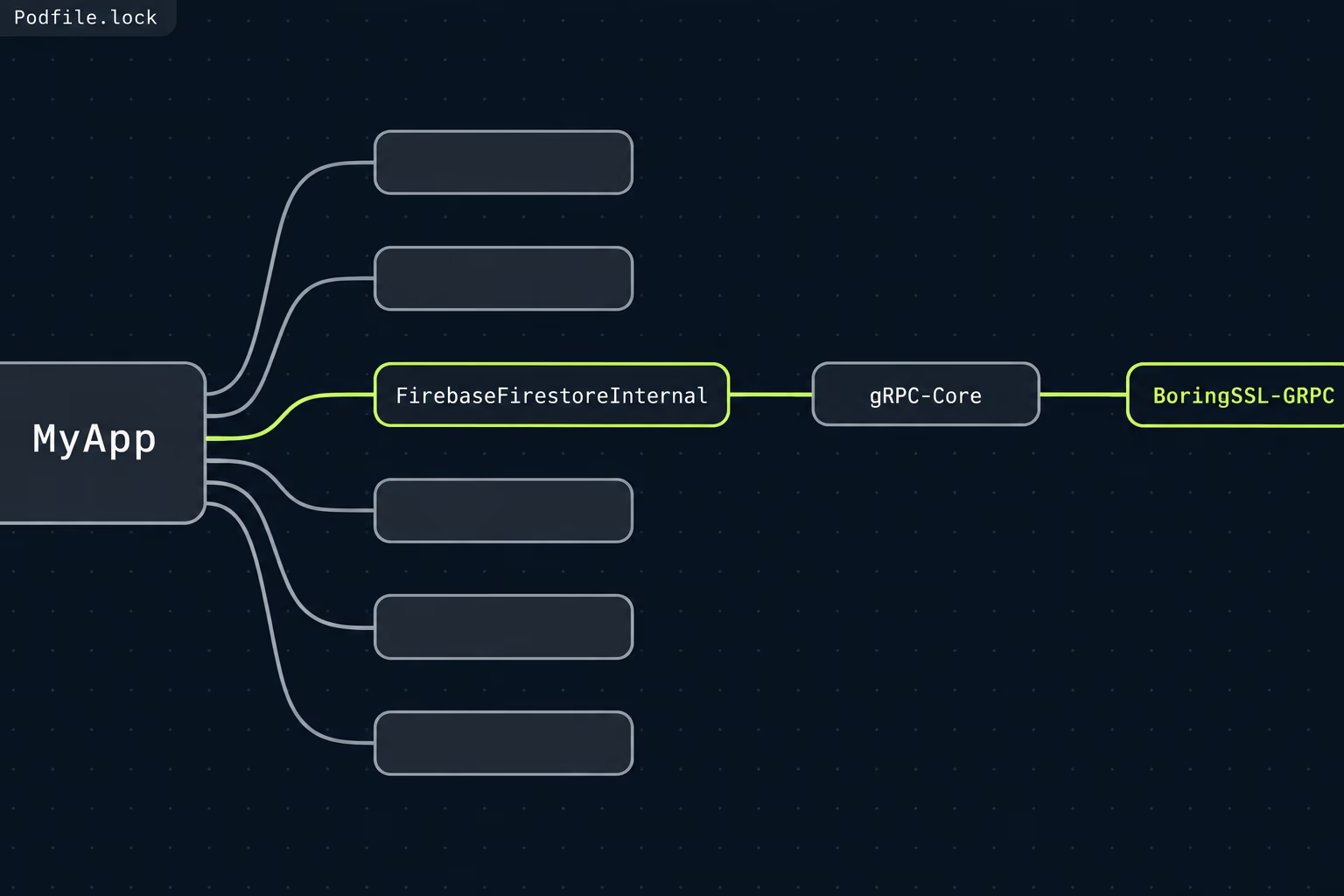
Some of these arrive through a dependency you’d never think to question. Firebase’s Cloud Firestore for iOS is a good example: its FirebaseFirestoreInternal podspec depends on gRPC-Core, and the gRPC-Core podspec in turn depends on a pod called BoringSSL-GRPC, which is Google’s fork of OpenSSL packaged for gRPC. None of that shows up in your own Podfile, which lists only the Firebase product you asked for. You only see it in Podfile.lock, or in the resolved packages list if the project uses Swift Package Manager, and whether a transitive library like that moves your app into Apple’s middle row is a judgment you or your export adviser should make with the full list in front of you.
The practical audit takes about an hour on most codebases. Open Podfile.lock or Package.resolved, search the resolved names for ssl, crypto, sodium, sqlcipher, signal and tls, and note every hit together with the product feature that pulled it in. Then look for any code the previous team wrote themselves that calls a cryptography library directly rather than Apple’s CryptoKit or Security framework. That gives you an evidence file you can keep with the release notes, so the next person who asks why the plist says NO gets an answer instead of a shrug.
This is the same detective work that a missing privacy manifest demands, and for the same reason. Apple treats every third-party library inside your binary as your statement, whoever added it. If you’ve already been through our iOS privacy manifest walkthrough, you’ll recognise the method, and the list of SDKs you built there is a good head start. When we take over an app at RapidLabs, this inventory is one of the first things we produce, because export compliance, privacy manifests and store rejections all trace back to the same question of what’s actually linked into the build.
What happens if your app needs export documentation?
If App Store Connect’s questions conclude that documentation is required, you upload it in App Store Connect, wait for Apple’s review, and then add the code Apple gives you to your plist. The upload lives under App Information, in the App Encryption Documentation section, where you click the add button, answer the questions, and choose your file when prompted. Apple lists the roles allowed to do this as Account Holder, Admin or App Manager, so a developer with a narrower role will hit a wall here.
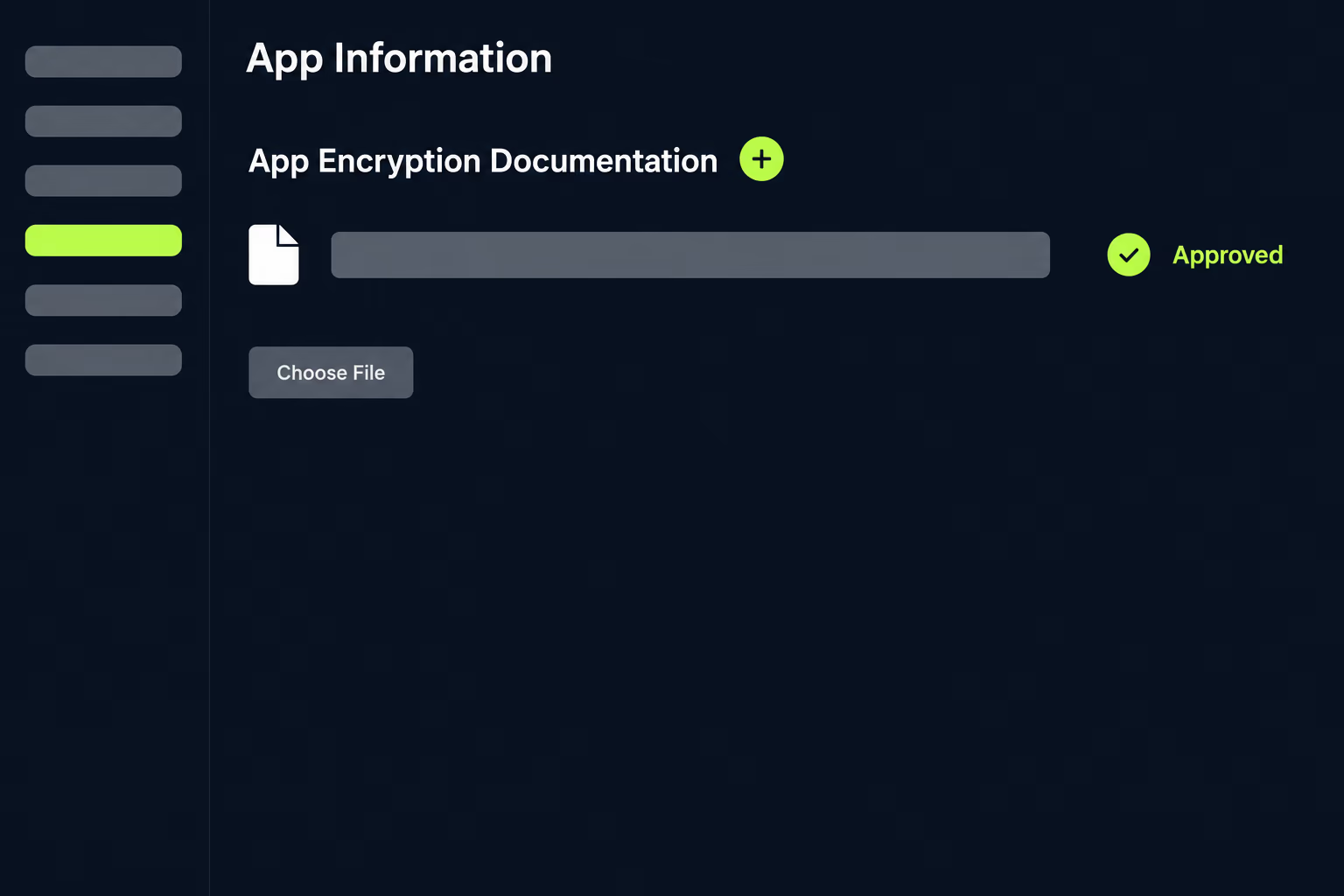
Apple says the documentation should be in before you submit a build to App Review or TestFlight App Review. It also asks you to fill in the app description and set your App Store availability first, because without them Apple can’t tell whether the documents are sufficient. Apple states that it evaluates these reviews case by case and, when the information is complete, expects to review and clear apps in approximately two business days. Once the documents are approved, the key value appears next to them in the same section, and that’s the string that goes in ITSEncryptionExportComplianceCode alongside ITSAppUsesNonExemptEncryption set to YES.
The documents themselves depend on which row of Apple’s table you’re in. A proprietary algorithm needs a CCATS, which is a formal classification issued by the US Bureau of Industry and Security, and that’s a separate application to a government agency rather than something App Store Connect produces. The French declaration is filed with ANSSI, France’s national cyber security agency. Apple’s overview names secure storage, secure communications and security or anti-virus apps as France’s main items of control, and it lists banking and medical apps as exemptions, which is useful if your product falls in one of those categories.
A YES answer isn’t a problem to be avoided, since password managers and secure messaging apps legitimately need it. The trouble starts when an app that needs YES has shipped with NO for years because someone clicked through the prompt. If you’re preparing an Apple app transfer, it’s worth settling this first, since the buyer inherits whatever the plist has been declaring.
Do you still owe BIS a year-end self-classification report?
Probably not for an ordinary consumer app, but Apple’s documentation doesn’t say that clearly, so read the regulation rather than the summary. Apple’s guide says that if your app uses exempt forms of encryption, you “might alternatively be required” to submit a year-end self-classification report to the US government. That hedge dates from a period when the reporting rule covered far more products than it does today.
The Bureau of Industry and Security notes that a rule published on March 29, 2021 changed License Exception ENC, the part of the regulations that most mass-market encryption uses. The current text of section 740.17(e)(3) limits the self-classification report to mass-market encryption components, to a narrow category it calls executable software, and to products that stay classified as non-mass-market encryption after self-classification. The same section defines executable software as software in executable form from an existing hardware component, and says it doesn’t include complete binary images of the software running on an end item. A finished app sold to the public is generally an end item rather than a component, and mass-market items under the regulation’s Cryptography Note are classified as 5D992 rather than 5D002.
Where a report is due, the rule is specific. It covers the calendar year, it must be received by February 1 of the following year, and it goes by email to [email protected] and [email protected] with the subject line “self-classification report”. If you’ve reported before and nothing new became eligible during the year, the regulation says you still send an email stating that nothing has changed.
This is a legal classification, and RapidLabs isn’t a law firm. What an engineering team can do is hand your export counsel the evidence: the dependency list from the previous section, the features that use each cryptography library, and the countries in your App Store availability.
Why doesn’t the key take effect in React Native, Flutter or Expo?
The key doesn’t take effect when it’s set somewhere that never reaches the Info.plist inside the uploaded build, and cross-platform projects have more places for that to go wrong. The build tools generate or merge the iOS plist, so a value set in the wrong layer simply disappears.
In Expo, the setting belongs in your app config at ios.config.usesNonExemptEncryption, and Expo’s reference says it sets ITSAppUsesNonExemptEncryption in the standalone build’s Info.plist to the Boolean you give it. If the project uses continuous native generation, editing the generated ios folder by hand gets wiped on the next prebuild, so the app config is the only durable place for the value. In a bare React Native project or a Flutter project, the key goes into the iOS app target’s own Info.plist inside the ios folder, which in a default Flutter project lives under ios/Runner.
Inherited cross-platform apps often carry several iOS targets, such as a staging flavour, a white-label variant or an extension, each with its own plist, and adding the key to one while uploading from another produces the loop of warnings forum threads describe. The same problem tends to surface during a framework version jump, which is one of the checks we list in our notes on planning a React Native upgrade.
What should you settle before the next release?
Before the next upload, settle three things, and write the answers down so they survive the next change of developer. The first is the dependency evidence: a dated list of every library that brings its own cryptography, taken from the lock file of the build you’re about to ship. The second is the decision itself, meaning which row of Apple’s table the app belongs in, whether France is in your availability, and who signed off on it. The third is where the key lives, meaning the exact file and build configuration that produces the uploaded plist.
With those three answers in the repository, the key stops being a mystery switch and becomes a normal release checklist item that someone re-checks whenever a new SDK is added. That matters because a new analytics, chat or payments SDK can change the correct answer without anyone touching the plist, and App Store Connect will keep accepting the old answer without complaint.
If the app came to you without any of this history, treat the encryption question as part of the handover rather than a TestFlight nuisance. It sits alongside signing keys, store account ownership and the privacy manifest in the set of things a new owner has to verify rather than assume, and a structured app takeover covers all of them in one pass. The App Store rejection reasons that trip up inherited apps come from the same gap: an app that works on the previous developer’s machine, with decisions nobody wrote down.
Frequently asked questions
What does the ITSAppUsesNonExemptEncryption key mean in Info.plist?
ITSAppUsesNonExemptEncryption is a Boolean key in an iOS app's Info.plist that tells App Store Connect whether the app uses non-exempt encryption. Apple's documentation says NO means the app, including any third-party libraries it links against, uses no encryption or only encryption that's exempt from export compliance requirements, and YES means it uses non-exempt encryption. When the key is present, App Store Connect stops asking the encryption questions on every upload.
Is it safe to set ITSAppUsesNonExemptEncryption to NO?
It's the correct answer for a large share of apps, specifically those whose only encryption is what Apple's operating system provides, such as HTTPS through Apple's networking APIs and the Keychain. It isn't a formality, though, because Apple states that you carry the liability for claiming an exemption inaccurately. Check the dependency tree for bundled cryptography libraries before you commit the value, and re-check whenever a new SDK arrives.
Why does my TestFlight build say Missing Compliance?
Missing Compliance means App Store Connect doesn't know how your build uses encryption, so the build is waiting for you to answer the export compliance questions. You can answer them by clicking Manage next to the build on the TestFlight or Distribution tab. To stop it happening on every upload, add ITSAppUsesNonExemptEncryption to the Info.plist that actually ends up inside the uploaded build.
Where do I put ITSAppUsesNonExemptEncryption in Expo, React Native or Flutter?
In Expo, set ios.config.usesNonExemptEncryption in the app config, which Expo's documentation says writes ITSAppUsesNonExemptEncryption into the built app's Info.plist. In a bare React Native project or a Flutter project, add the key to the iOS app target's own Info.plist inside the ios folder. A cross-platform config file that never reaches the final plist has no effect.
How long does Apple take to review export compliance documentation?
Apple says it evaluates export compliance reviews case by case and expects to review and clear apps in approximately two business days when the information is complete. Apple also asks you to fill in the app description and set availability before uploading the documents, because it can't judge them without that context. Once approved, Apple gives you a code to put in ITSEncryptionExportComplianceCode.
Do I need a French encryption declaration for my app?
Apple's documentation table says you need one if your app uses an industry standard algorithm that isn't provided within Apple's operating system, or uses proprietary encryption, and you distribute the app on the App Store in France. Apple names secure storage, secure communications and security or anti-virus apps as the main items France controls, with banking and medical apps listed as exemptions. France's cyber security agency, ANSSI, runs the declaration.
Have a product decision to make?
RapidLabs helps founders and operators shape, build, and launch focused software.
Email the studio