Android ANR: What It Costs and How to Fix It
An ANR, short for Application Not Responding, is Android’s judgement that your app has stopped answering the system, and it appears when your app fails to handle a tap within about five seconds. It isn’t a crash and produces no stack trace of the usual kind, which is why it slips past teams watching only their error reporting. The number that matters commercially is your user-perceived ANR rate in Play Console, because Google Play makes apps above 0.47 percent of daily active users less discoverable on the store. Below is what triggers an ANR, what a high rate actually costs, which freezes to fix first, and how to make progress on an app you didn’t write.
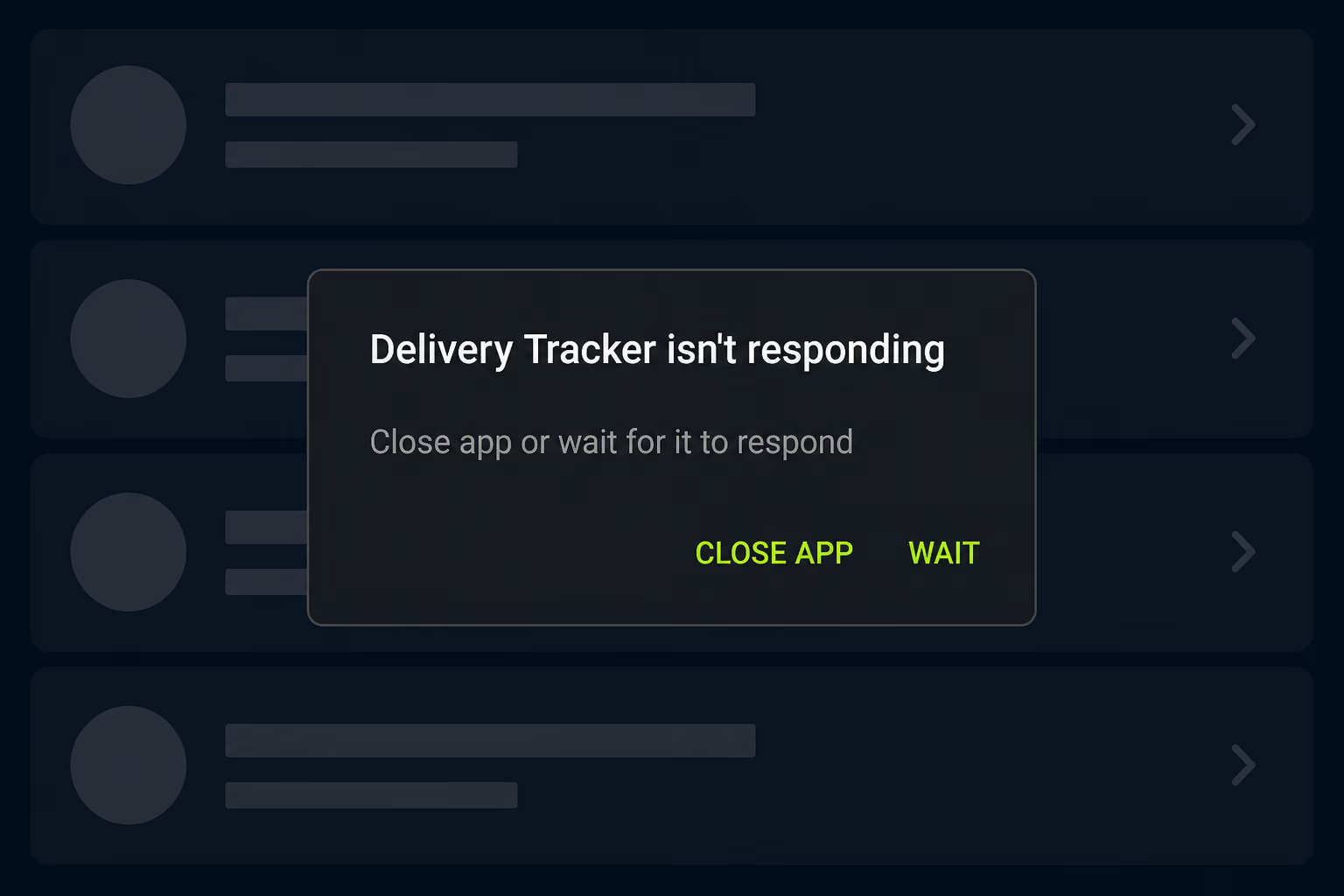
What is an ANR in Android?
An ANR happens when Android decides your app has taken too long to respond to something the system asked it to do, and the operating system then offers the user a dialog to close the app or wait for it. The important detail is that nothing in your app has failed, because the code is running, the app is alive, and it’s simply busy doing something else while the system’s stopwatch runs out.
Android publishes five conditions that trigger one. The one you’ll meet most often is an input dispatch timeout, which fires when your app hasn’t responded to an input event such as a key press or a screen touch within five seconds, and that’s the trigger behind the dialog your users actually see. Two more cover services: one where a service can’t finish Service.onCreate and Service.onStartCommand or Service.onBind within a few seconds, and one where your app calls Context.startForegroundService but the service doesn’t call startForeground within five seconds. The last two happen away from the screen, covering a BroadcastReceiver that hasn’t finished executing in time, and JobScheduler work where a JobService fails to return from JobService.onStartJob or JobService.onStopJob.
Those timeouts aren’t uniform, and the spread between them explains why some ANRs feel random. A foreground broadcast allows ten seconds on Android 13 and lower and up to twenty on Android 14 and above, while a background broadcast gets sixty seconds and a background service two hundred. The same slow operation can therefore pass silently in one context and trip the timeout in another, which is why code can look fine for months and then start generating reports after a release changes when it runs.
What does a high ANR rate cost you on Google Play?
It costs you distribution, and Google says so directly rather than leaving it to inference. Play measures your user-perceived ANR rate in Android vitals and sets a bad behaviour threshold at 0.47 percent of daily active users across all device models. An app over that line, in Google’s own wording, is likely to be less discoverable on Google Play. There’s no notification and no banner in Play Console announcing that it has started.
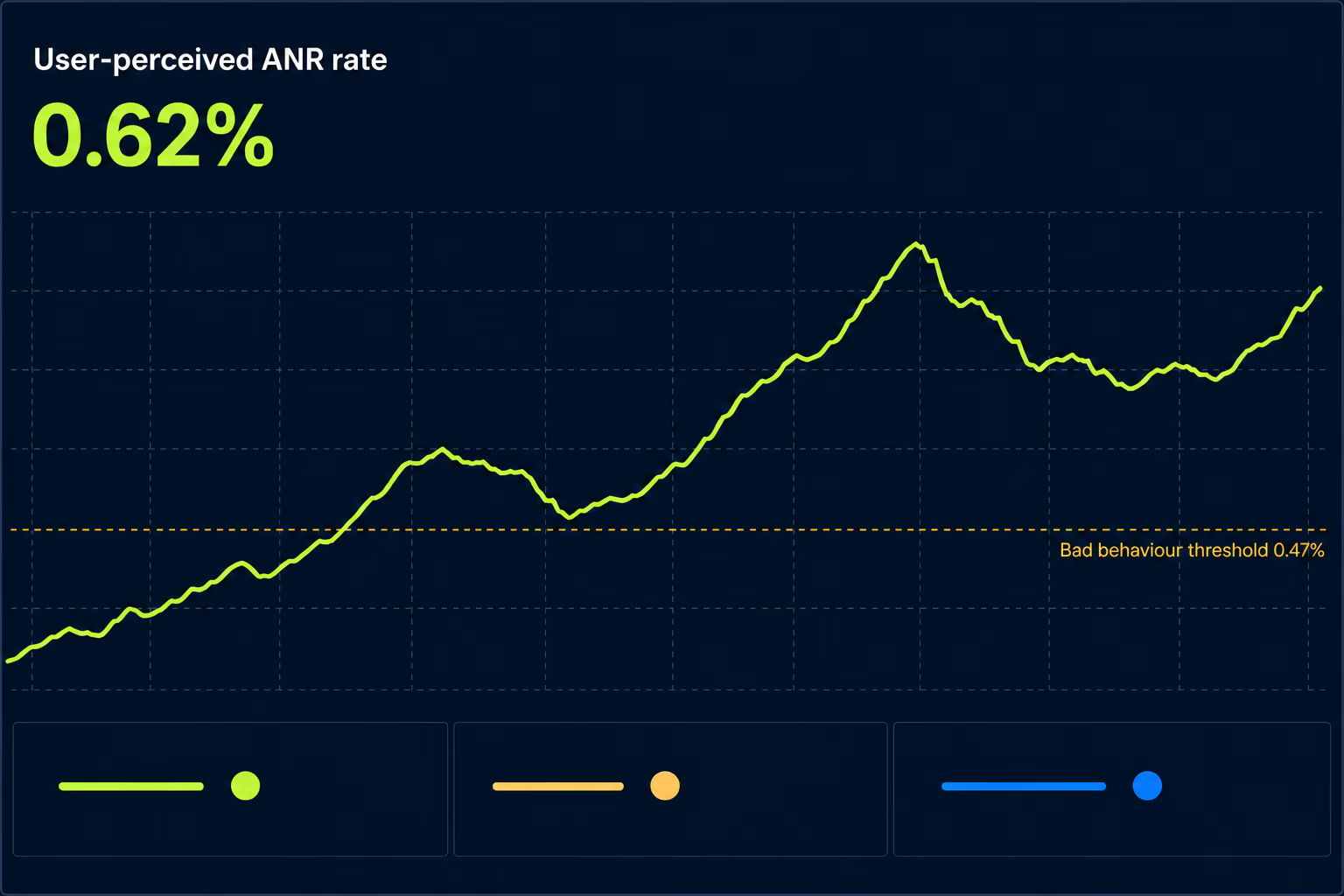
The second threshold does more damage to more apps and gets discussed far less. It’s set at 8 percent of daily users experiencing a user-perceived ANR on a single device model. Google’s stated response is that Play will steer users on those devices away from these titles and towards others more suitable for them, and that in some cases a warning may be displayed on your store listing. A warning on your listing sits directly between your marketing spend and your install button.
That per-device rule matters, because an app healthy on paper can still be penalised. Your overall rate is an average weighted by your user base, so a serious problem confined to one mid-range handset gets diluted by every user on a fast phone. An app can sit at a respectable 0.2 percent overall while being effectively invisible to buyers of one popular device.
It also helps to know the comparable crash number, because the two get confused constantly. The user-perceived crash rate threshold is 1.09 percent overall, with the same 8 percent per-device figure. Google therefore tolerates roughly twice as many crashing users as stalling ones before applying the same penalty. A crash is at least honest about what happened, while a frozen screen leaves the user wondering whether the phone or the app is broken.
How is an ANR different from a crash?
A crash is a failure with a culprit, and an ANR is a delay with no culprit at all. When your app crashes, something threw an unhandled exception, the process died, and your error reporting hands you a stack trace pointing at the line responsible. When your app produces an ANR, no exception was thrown and no line failed, so there’s nothing for a conventional crash reporter to catch and nothing that identifies itself as broken.
That distinction has a practical consequence for anyone running an app rather than writing it. A team can be genuinely diligent about crashes, keep the crash rate low, and still be over the ANR threshold without ever seeing a signal in the tool they check every morning. The two metrics live in different places and carry separate thresholds, so watching one tells you nothing reliable about the other.
The reproduction problem is the other half of it. Crashes tend to reproduce, because the same input usually hits the same broken line, while ANRs depend on timing, device speed, system load and whether a lock was held at the wrong moment. An operation finishing in eight hundred milliseconds on the phone in your pocket can take six seconds on a four-year-old handset, and only one of those two devices generates a report.
Which ANRs should you fix first?
Rank them by how many users each affects rather than by how many reports each generated, and check the per-device breakdown before committing to anything. Play Console groups incoming reports into clusters and names the timeout type for each, so the ordering work is mostly done for you. The mistake worth avoiding is treating the longest list of reports as the biggest problem, since a cluster with many reports from few users is a worse investment than one affecting a broad slice of your base.
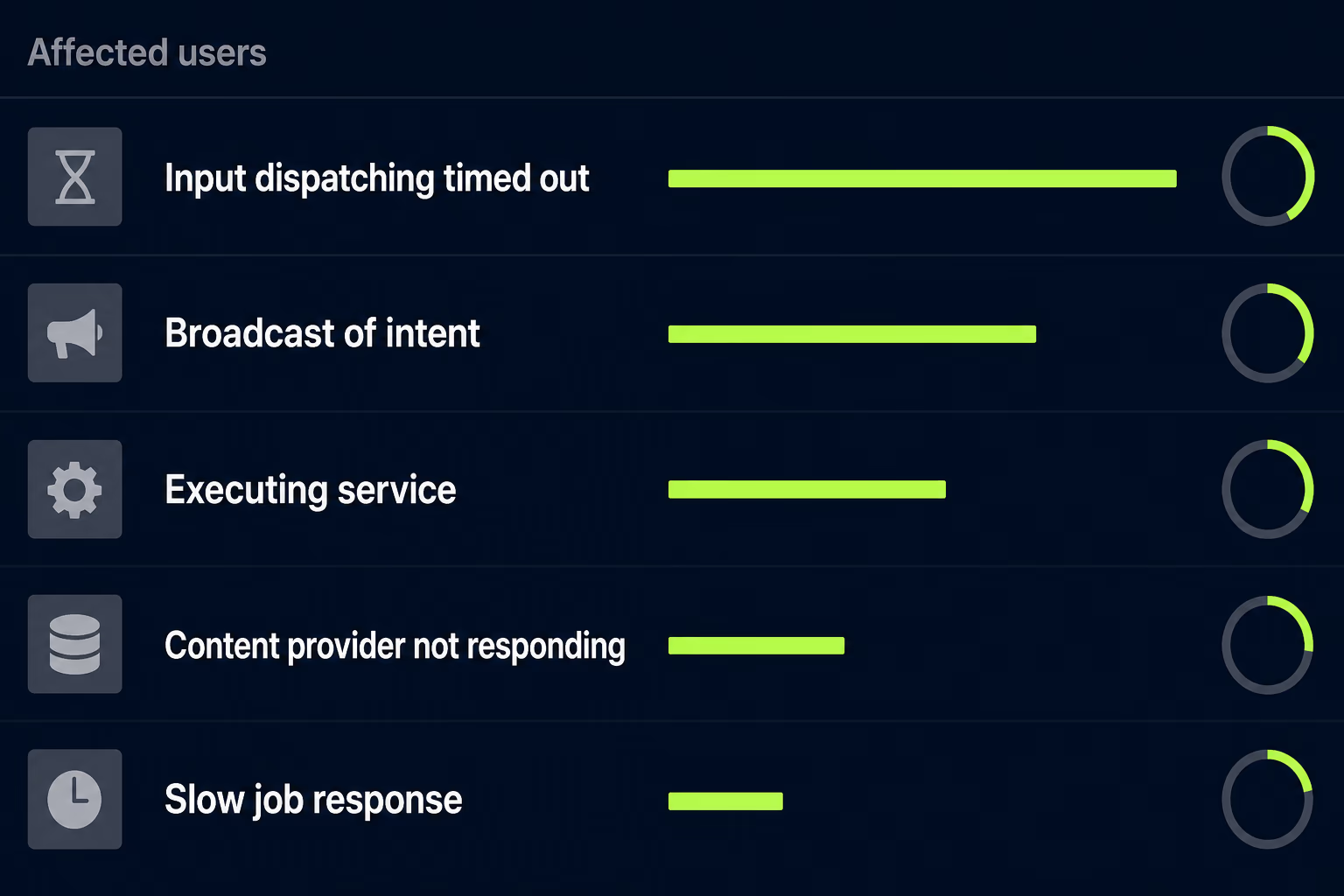
Start with any device model over the 8 percent threshold, even when the cluster looks small in absolute terms. That case is both the most commercially damaging and usually the most tractable, because a problem confined to one device model normally has a specific cause such as a hardware capability or a memory limit, rather than a design flaw running through the whole app.
After that, work down the clusters by affected users and read the timeout type as a routing hint rather than a diagnosis. Input dispatch timeouts point at work happening on the main thread while the user is interacting, which usually means a screen doing too much. Broadcast receiver timeouts point at background work triggered by system events, often something scheduled at app startup. Execute service timeouts point at initialisation, which tends to mean the app is doing too much before it’s ready. Each category sends you to a different part of the app, and that alone is worth a great deal when time is short.
What actually causes an ANR in a production app?
Almost every ANR traces back to the main thread being occupied when the system needed it, and the occupation usually falls into one of four familiar shapes. The first is input and output work on the main thread, covering file reads and writes, database queries and anything touching storage. These operations look harmless on a fast development device with an empty disk, and run slowly enough on a real user’s phone to blow through five seconds.
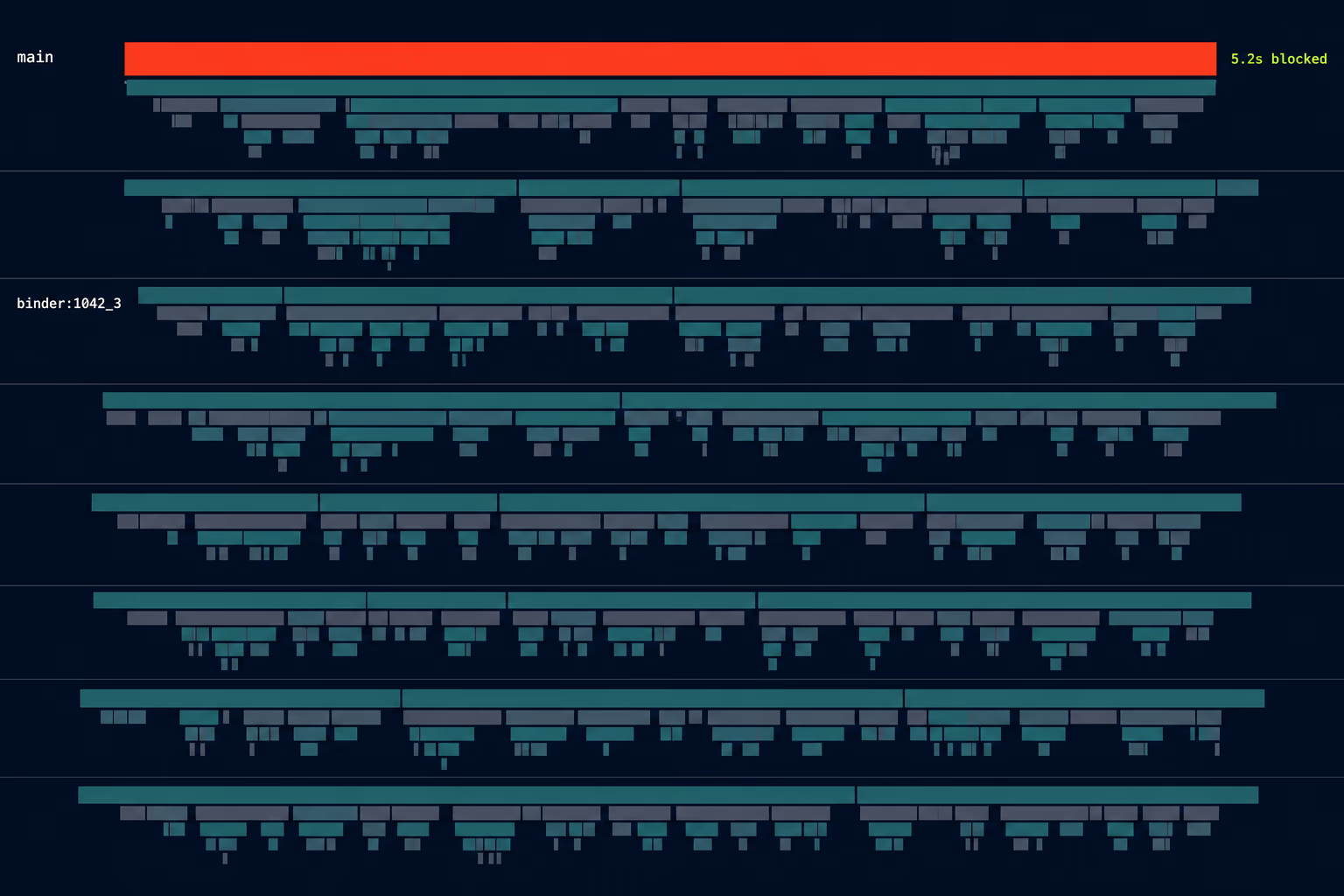
The second is a synchronous call into another process, where your app waits for an answer and whatever sits on the other end is busy. The third is a deadlock, where the main thread waits on a lock held by another thread that is itself waiting on something else. The fourth is slow computation, meaning a calculation, a large parse or a heavy layout done in the wrong place.
Two situations produce these shapes more reliably than any others. App startup is the first, because everything initialises at once and an app that accumulated eight analytics and infrastructure libraries across three owners can spend its entire startup budget before drawing anything. Broadcast receivers are the second, since work triggered by a system event runs on the main thread by default and its timeout window is far tighter than most people assume.
One piece of advice you’ll find in older articles is worth ignoring. A good deal of writing on ANRs still recommends moving work onto AsyncTask or IntentService, and both have been deprecated for years. Current work belongs on coroutines, WorkManager or an ordinary background executor depending on the task, and if an article recommending AsyncTask is your source, its other advice is probably the same vintage.
How do you diagnose an ANR you can’t reproduce?
Give up on reproducing it and work from the data your users already generated, because Play Console has been collecting exactly that. The ANR clusters in Android vitals carry the timeout type, the affected device models and the Android versions, and reading them tells you more in ten minutes than a day of tapping around a test device. Firebase Crashlytics reports ANRs as well and covers the same ground if that’s where your team already looks.
The trace file is the next layer and the one that names the actual blockage. Android captures the state of your app’s threads at the moment the timeout fired, so the trace shows which thread was stuck and what it was waiting on. That’s the closest thing to a stack trace an ANR offers, and it’s usually enough to identify the operation responsible without a reproduction.
When the trace isn’t conclusive, Perfetto traces answer whether the delay came from your app at all. Some ANRs are caused by contention for system resources rather than by anything your code did, and a trace showing your main thread ready but never scheduled points somewhere entirely different than one showing it busy. Google’s own guidance leans on Perfetto for this distinction, and it’s the difference between fixing your app and discovering there’s nothing in your app to fix.
For catching problems before users do, StrictMode is the cheapest tool available, because it flags accidental disk and network access on the main thread during development. Turning it on in debug builds costs almost nothing and surfaces the exact mistake that becomes an ANR statistic three months later.
What do you do when you inherited the app and didn’t write it?
Read the vitals data first, because it belongs to the app rather than to whoever built it. This is the one real advantage of ANR work on an unfamiliar codebase: Play Console shows you the clusters, the affected devices and the timeout types whether or not the previous developer left a single line of documentation, a working build script or a forwarding address. You can rank your problems accurately before you understand the code at all.
From there the timeout type does the narrowing for you. An execute service timeout sends you to whatever runs at startup, a broadcast receiver timeout sends you to the manifest and the receivers declared in it, and an input dispatch timeout sends you to the screen named in the cluster. Each is a small, findable region rather than the whole app. Working backwards from ANR data is one of the faster ways to start understanding an app nobody on your team wrote, which is why a RapidLabs app maintenance audit usually begins there rather than with a full code review.
Be careful about one instinct in this situation. Inheriting a stalling app makes a rewrite feel like the obvious answer, and ANRs are among the weakest arguments for one, because they’re symptoms of specific operations in specific places rather than evidence of a rotten foundation. We’ve laid out how to make that call in our piece on rewrite versus refactor for a mobile app, and the short version is that a measurable, locatable problem is exactly the kind that gets fixed rather than restarted.
The other thing worth doing early is checking whether the app is even shippable. Fixing an ANR is of no use if you can’t get a release out, and teams taking over an app often discover the signing credentials or the store access are missing at precisely the moment they need them. That’s part of why taking over an existing mobile app starts with access and release capability rather than with code, and if the app is also failing to build against current store requirements, our write-up on the Google Play target API level deadline covers the other half of that problem.
Getting your ANR rate back under the threshold
The work is mostly a sequencing problem rather than a technical one. Open Android vitals, find your user-perceived ANR rate, and compare it against 0.47 percent overall before checking every device model against the 8 percent bar. If both are comfortably clear, ANRs aren’t your bottleneck and your attention belongs elsewhere.
Then take the single cluster affecting the most users, read its timeout type to find the region responsible, pull the trace to identify the blocking operation, move that operation off the main thread, and ship it on its own. Watch the number for a couple of weeks before touching the next one. That cadence feels slow next to a batch of fixes, and it’s the only version that tells you which change worked.
The honest recommendation on scope is to stop when you’re safely under the threshold rather than chasing zero. There’s no reward for an ANR rate of 0.01 percent over one of 0.2 percent, and the engineering time spent getting from the second to the first buys nothing on the store. Whether an inherited app needs a handful of contained fixes or something larger is a question only its own vitals data and codebase can answer, which is the first thing a RapidLabs engineer would want to look at with you before anyone estimates the work.
Frequently asked questions
What does ANR mean in Android?
ANR stands for Application Not Responding, and it's the system's verdict rather than your app's. Android watches how long your app takes to handle work on its main thread, and when the app blows past the allowed window the operating system decides it has stopped responding and offers the user a dialog to close it or keep waiting. The most common trigger is an input dispatch timeout, which fires when your app hasn't responded to a tap or a key press within five seconds. An ANR isn't an exception being thrown anywhere in your code, which is why it never shows up in an ordinary error report.
What is a good ANR rate for an Android app?
Google Play sets the only number that carries a real consequence, and it's a user-perceived ANR rate below 0.47 percent of daily active users across all device models. Cross that line and Play states your app is likely to be less discoverable on the store. There's a second threshold that catches far more teams by surprise, which is 8 percent of daily users on any single device model. Breach that one and Play steers users on those devices toward other apps, and in some cases shows a warning on your store listing.
What's the difference between an ANR and a crash?
A crash is your app dying because something threw an unhandled exception, and it leaves a stack trace pointing at the line that failed. An ANR is your app still running perfectly well while being too slow to answer the system, so there's no exception, no failing line and often no obvious defect anywhere in the code. That difference matters because the two are measured separately in Android vitals and carry separate Google Play thresholds, 0.47 percent for user-perceived ANRs and 1.09 percent for user-perceived crashes. Teams that fix every crash and ignore the ANR number can still end up demoted on the store.
How do I find what's causing an ANR I can't reproduce?
Start in Play Console rather than on your own device, because Play groups incoming ANR reports into clusters and names the timeout type for each one, which tells you which category of work is blocking before you read a line of code. From there the trace file matters more than the reproduction, because the stack captured at the moment of the timeout shows which thread was blocked and what it was waiting on. Perfetto traces let you see whether the delay came from your app or from the wider system.
We inherited the app and nobody here wrote it. Where do we start?
Open Play Console and read the ANR clusters before you touch the code, because that data belongs to the app rather than to whoever built it and works whether or not the original developer left documentation behind. Rank the clusters by how many users each affects, then check whether any single device model is over the 8 percent per-device threshold, since that one is both the most damaging and usually the most contained to fix. The timeout type on the biggest cluster tells you roughly where the problem lives, which narrows an unfamiliar codebase to a specific area.
Does fixing ANRs actually bring installs back?
Nobody can promise a specific recovery for a specific app, and any figure quoted without seeing your data is guesswork. What Google does state is the mechanism, which is that apps above the bad behaviour thresholds are likely to be less discoverable on Play and that users on affected device models get steered elsewhere. Getting back under the threshold removes that penalty, so the honest expectation is that discoverability stops being suppressed rather than that installs jump on a schedule. The metric is measured over a rolling window, so it moves slowly after a fix rolls out.
Have a product decision to make?
RapidLabs helps founders and operators shape, build, and launch focused software.
Email the studio